Computer Hope

Other Pages

Home
Site map
Computer help

Dictionary
News
Q&A
What's new

Tools

E-mail this page
Print Preview
Edit this page


Reference number: CH000612

How to enable / disable scandisk from running after improper shut down.

Question:

How to enable / disable scandisk from running after improper shut down.

Cause:

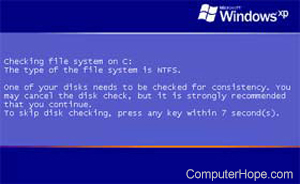
Versions of Microsoft Window 98 and later are designed to automatically run scandisk after the computer has been improperly shut down or rebooted. This is done as a safety measure to help ensure no data corruption occurred during the improper shut down / restart.

Answer:

This feature can be enabled or disabled in the msdos.sys file by changing the AutoScan= section. Additional information about the msdos.sys, hot to edit it and its values can be found on our msdos.sys page.


Index


Category:
Scandisk Help

Companies:
Microsoft

Related Pages:


Resolved

Were you able to locate the answer to your questions?

Home - Computer help - Contact - Dictionary - Links
Link to Computer Hope - Bookmark Computer Hope