
Can I get my USB printer to work on the parallel port?
This page is for getting a USB printer to work on a parallel port, not how to get a parallel port printer to work on USB. For help with getting a parallel port printer on USB, see: Can I get my parallel printer to work on USB?
The solution to this question is really dependent on the printer you purchased or plan on purchasing. Some printers have both a parallel port and USB connection, which allows the consumer to choose what connection they want to use. Many of these printers also allow users to have both the USB and parallel connections connected at the same time. However, these printers only come with a USB cable and it's up to the user to purchase the parallel port cable.
Printer with USB and parallel connections
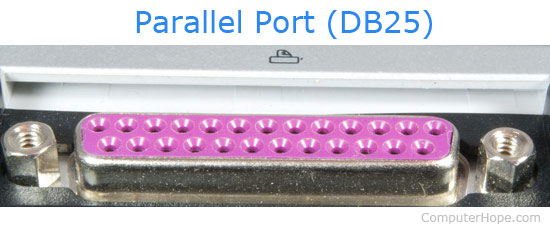
If your printer contains a parallel port connection, purchase a "parallel cable" from your local retail store or from the printer manufacturer. After connecting the printer to your computer using a parallel cable, you must change the properties of the printer to print to the "LPT" port. Microsoft Windows users can change this setting through the "Printers" icon in the Control Panel.
USB only printer with no more available USB ports
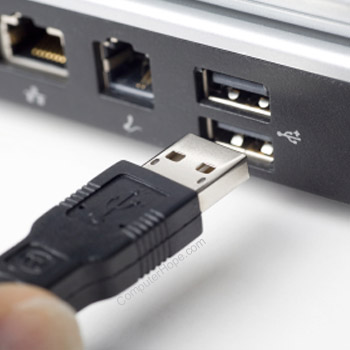
If you have a USB printer and a computer with USB, but no more available USB connections, purchase a USB hub. USB supports up to 127 different devices and a USB hub lets you connect more USB devices to your computer.
USB only printer with no USB ports on computer
If your printer only has a USB option and your computer is an older computer with no USB option, we recommend you purchase a USB expansion card. These cards are installed in your computer and enable your computer to use all USB devices. However, make sure your computer meets the requirements of the expansion card. Usually, older computers running older operating systems will not support USB at all.
You may also want to consider a USB to parallel converter, these converters will convert the USB signals into signals that can be understood by the parallel port. However, it's important to realize if your printer only supports USB, its software won't work. This solution should enable your printer to communicate with the computer. However, for many of the features to work, you must install a generic parallel printer driver, available through your operating system. We do not recommend this solution, but would like to make it known that it is available.
If your computer doesn't support a USB expansion card and you want to get a USB printer to work, we suggest you consider purchasing a new or upgraded computer.