
How to retrieve e-mail when away from home or work
If you do not plan on reading your e-mail, consider setting up an out of office notification. For help setting up an out of office notification, see: How to create an out of office reply in Microsoft Outlook.
Sometimes, when you're away from your computer for an extended time, you may want to access and read your incoming e-mail. Below are some methods to get your e-mail when you're not at home.
If you have an e-mail account with Gmail, Yahoo, or Hotmail (now called Outlook.com), your e-mail is accessible from any computer using an Internet browser. Go to the Gmail, Hotmail, or Yahoo e-mail login page to access your e-mail online.
If you are trying to access Outlook.com e-mail while abroad, you may be asked for a code. This feature of Outlook.com requires you to have a mobile device to receive a code for input.
Retrieving e-mail when away from home
The following suggestions require Internet access. If you won't have Internet access while away, see: Where can I get Internet access when away from home or work?
E-mail client
If you plan on taking a laptop on the road, configure an e-mail client on the laptop with e-mail settings, like POP (Post office Protocol) and SMTP (Simple Mail Transfer Protocol). Popular e-mail clients include Microsoft Outlook and Mozilla Thunderbird, and your e-mail provider should be able to provide instructions to configure the settings in these programs.
To receive e-mail on your laptop and computer at home, set up the e-mail client to leave a copy of messages on the e-mail server.
Web e-mail

Today, many ISPs (Internet Service Providers) and e-mail providers offer some form of web e-mail. If available, use webmail to access your e-mail from anywhere with Internet access on a computer, smartphone, or tablet.
To see if this option is available, contact your ISP or visit their website and look for an online e-mail link or section. If offered, they should be able to provide instructions for setting it up and accessing your e-mail.
Forward the e-mail or a copy of the e-mail
Rules can be set up in the e-mail client on your computer to forward all or specific messages you receive to another e-mail account.
For this to work, your home computer must remain online while you're away. If your computer is turned off or restarted, it could cause you to not receive your e-mail.
Below is a basic example of how to forward e-mails using Microsoft Outlook.
- Create an alternative online e-mail address with a service like Gmail or Hotmail.
- Open Microsoft Outlook.
- In Outlook 2003 or earlier, click Tools > Rules Wizard, then click the New button.
- In Outlook 2007 and later, on the Home tab, click the Rules option and select Create Rule.
- Click the New button.
- Set up the new rule with details similar to the following:
- Check Messages when they arrive.
- Where my name is in the To box.
- Forward it to people or a distribution list.
- Enter an alternative e-mail address.
E-mail on a smartphone
Smartphones can receive e-mail anywhere that cell service with adequate bandwidth is available. Check with your e-mail provider to determine if this is an option and how to configure your smartphone. For e-mail services like Gmail and Yahoo, you can use their app to get your e-mail.
Retrieving e-mail when away from work or school
Before trying any of these suggestions, realize some companies prohibit access to e-mail or other confidential information from outside the office. Ask your employer first, and while asking, see if they have any solutions already set up that allow you to access mail while not at work.
The following suggestions require Internet access. If you won't have Internet access while away, see: Where can I get Internet access when away from home or work?
Webmail
Many businesses have webmail solutions that allow users to access their e-mail from any computer or mobile device with Internet access.
If your employer offers this solution, logging into your company's webmail site should provide you access to your e-mail.
Check with your employer's IT (Information Technology) or e-mail support team to see if webmail is available and for help with gaining access.
E-mail on a smartphone
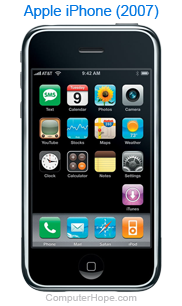
Many companies now allow e-mail to be retrieved, viewed, and sent from a smartphone. Both Android and Apple mobile devices can send and receive e-mail. If your company offers this feature, your smartphone can be configured to receive your work e-mail.
Check with your company's IT or e-mail support team to see if this option is available and for help configuring your phone.
VPN or virtual office
If the option is available at your work, connecting to your work through a VPN (Virtual Private Network) or virtual office lets you access e-mail from your work computer.
Forward e-mail

Corporate networks with e-mail servers can set up e-mails to be forwarded to alternative accounts, if needed. Contact your network or e-mail administrator to see if mail forwarding is available.
Alternatively, your work computer could also be set up to forward e-mails to an alternative e-mail address using the home instructions above.