
How to change the left and right mouse buttons
Updated: 10/18/2022 by Computer Hope
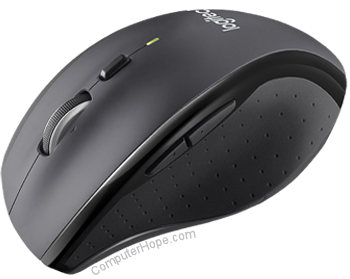
Microsoft Windows users can change the properties of their mouse buttons by following the steps below.
Note
Some programs may use mouse settings that and overwrite the settings you specify in Windows. If, after following the steps below, your program is still not changing the mouse buttons, look for mouse settings in the program you want to change.
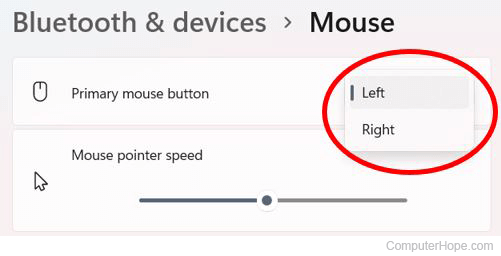
Change mouse buttons in Windows 11
- Press the Windows key and type mouse in the search field at the top of the Start menu.
- In the search results, select Mouse settings.
- In the Mouse Settings window, click the drop-down list to the right of the Primary mouse button option.
- Select Right or Left to switch the functionality of the left and right mouse buttons.
Change mouse buttons in Windows 8 and 10
- Press the Windows key and type mouse.
- Select the Mouse settings option in the search results.
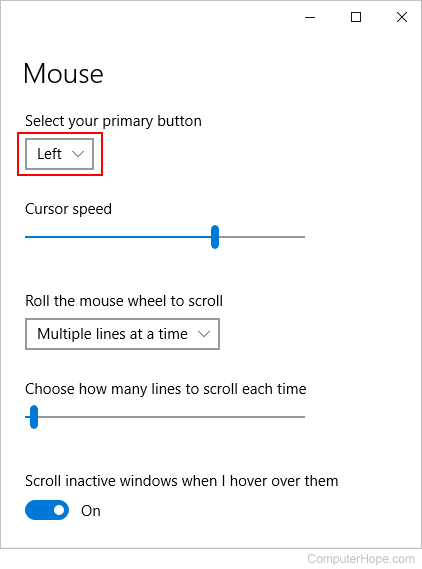
- In the Settings window, under Select your primary button, change the selected option in the drop-down menu from Left to Right or Right to Left.
Set mouse buttons in Windows Vista and 7
- Open the Control Panel.
- Click Hardware and Sound.
- Click Mouse.
- In the Mouse Properties window, click the Buttons tab and click the Switch primary and secondary buttons check box.
Note
If you are missing the Buttons icon in the Mouse Properties window, reinstall the software included with your mouse, or download and install the "Microsoft mouse and keyboard center" software.
Change mouse buttons in Windows 2000 and XP
- Open the Control Panel.
- In the Control Panel, double-click the Mouse icon.
- In the Mouse Properties window, click the Buttons tab and select the action for each of the buttons.
Change mouse buttons in Windows 95, 98, Me, and NT
- Open the Control Panel.
- In the Control Panel, double-click the Mouse icon.
- In the Mouse Properties window, click the Buttons tab and change the button configuration from right-handed to left-handed.