
How to insert a floppy diskette into the computer
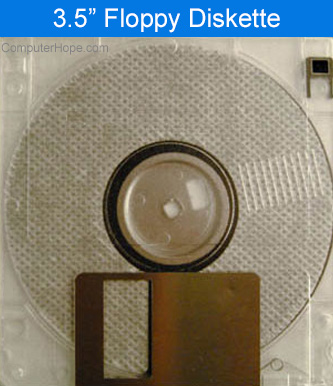
Users who may not have grown up with floppy diskettes in their computer or are new to computers may be confused when first looking at a floppy diskette. A 3.5" floppy diskette has several features that helps identify how it should be inserted into the computer. Below are some general identifications and rules that almost every 3.5" floppy diskette follows.
One way
Unless forced, a floppy diskette can only go in one way. The floppy diskette should slide in easy and when successfully inserted, the ejection button should pop out allowing you to eject the diskette when needed.
Sticker or blank surface
Almost all floppy diskettes have a blank surface or a sticker that lets you label them. That surface should always point towards the top of the computer when the floppy diskette is inserted.
Write protection tab
The small black write protection tab that can be slid up and down is always on the right side of the floppy when looking at it face up. When the floppy diskette is inserted into the floppy drive, it should be on the left side.