
My video card isn't working
This page is for troubleshooting a video card that isn't working. For additional information, see: No display or black screen on a computer monitor.
Most of the steps require you open and work inside your computer. While working inside a computer, make sure you're aware of the potential danger of ESD (ElectroStatic Discharge).
Update your drivers
First and foremost, it is important for you have the most recent drivers for your video card. Both NVIDIA and AMD provide drivers for free on their respective sites. Download and install the latest drivers for your video card.
Reseat the video card
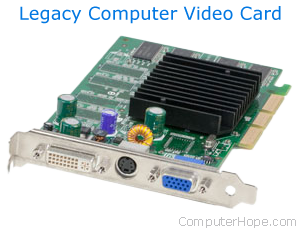
Make sure your computer is turned off. Remove the screws that hold your video card in place and then gently wiggle it until it comes out of its expansion slot. Then, reseat the video card and turn on your computer.
Exchange the video card
If reseating the video card doesn't resolve the issue, or your GPU (Graphics Processing Unit) is onboard, try an alternative video card in your computer (if you can one).
Replace video card
If an alternative video card didn't work or you cannot obtain one, we suggest purchasing a new video card to replace the defective one in your computer.
Replace motherboard
If an alternative video card doesn't work, and replacing the video card with a new one didn't help, the motherboard is likely bad and should be replaced. If you feel comfortable replacing the motherboard, see our computer motherboard buying tips for help on selecting the right one for your computer. Otherwise, we suggest having the computer serviced at a local computer repair shop.