
How to move drivers from one computer to another computer
Although there were vast improvements in automatic driver retrieval with each new version of Windows, in some situations, they need to be installed manually. Below are details on how to find recently downloaded device driver installations and the various ways to move them to another computer.
You cannot copy installed drivers to a new machine; you'll need fresh drivers. See the next section for details.
Locating downloaded drivers
As mentioned in the disclaimer, users cannot move drivers that have already been installed from one computer to another. The reason for this issue is that the registry on the new machine won't have the proper file associations. Essentially, you must download the installation file, copy it, and then move it to the other computer.
- Locate and download the drivers you need for the other computer. Most are available on the device manufacturer's website or you can search our driver's page.
- Find the downloaded drivers on your computer.
- Copy the drivers to any of the media listed in the following section.
- Install the drivers on the other computer.
Methods used for transferring drivers
USB thumb drive
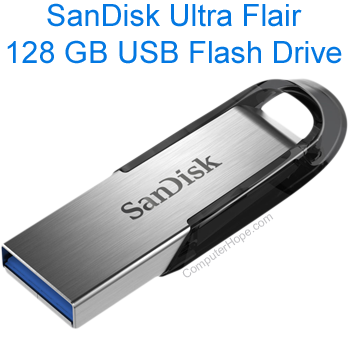
If you have a USB (Universal Serial Bus) thumb drive, it can be the easiest and fastest method to get drivers from one machine to another. If you don't already have one of these drives, we highly recommend you consider getting one from any local computer retail store. Many grocery stores also have these available.
Moving across the network
If these computers are on the same network, a network share can also be created to move these files from one computer to the other.
Disc or diskette
If you have a computer with a CD or DVD burner, copying the drivers to a disc is a great solution for moving them.