
WinPopup
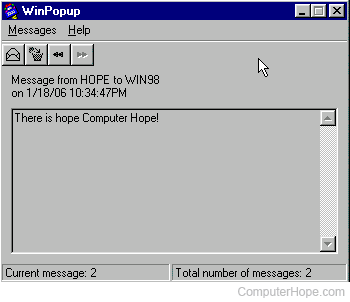
WinPopup is a program that enables users running Microsoft Windows 95 or 98 to send text messages, such as "hello world," to one or more users on a network. Later versions of Microsoft Windows, such as Windows 2000 and Windows XP, utilize the net send command to send messages to other Windows users. Below is an example of what the Microsoft WinPopup window looks like in Microsoft Windows 98.
How to open WinPopup and send a message
- Click Start
- Click Run
- Type winpopup and press Enter.
- Once the WinPopup window is open, click Message and then Send, press Ctrl+S, or click the envelope to send a message.
Error when sending WinPopup message
You may receive the error: The name you specified cannot be found on the network. Check the name, and then try sending your message again.
This error indicates the computer doesn't exist on the same workgroup, or the name of the computer does not exist on the network. It may also indicate that the computer is a running a version of Windows that does not support winpopup.
If you cannot receive WinPopup messages
To receive any network messages sent from other computers running winpopup, the program must be open.