
Blake Stone: Aliens of Gold
Blake Stone: Aliens of Gold overview
 Type: Action
ESRB Rating: Teen
Release Date: 12/3/1993
Developer: JAM Productions
Publisher: Apogee Software
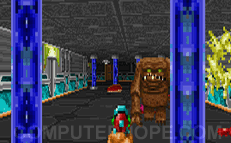
In Blake Stone: Aliens of Gold, you face the evil Dr. Pyrus Goldfire who has discovered a method of creating his own gold. Using his gold, he was able to fund his crazy plan and has built six highly secured facilities. You are sent to stop Dr. Pyrus Goldfire and his evil plans.
Blake Stone is a classic Action game with smooth graphics and new original weapons and different creatures. If you're a fan of the classic game Wolfenstein 3D, we recommend this game.
System Requirements: Microsoft Windows - Apple - Linux
| Windows System Requirements | |
|---|---|
| Operating System: | MS-DOS 5.0 |
| Processor: | Intel 386SX 20 MHz |
| Memory: | 2 MB RAM |
| Graphics Card: | VGA graphics, 256-colors capable |
| Sound Card: | Sound Blaster compatible sound card |
| Hard Drive Space: | 8 MB |
| CD/DVD Drive: | 3.5" Floppy disk drive |
| Controls: | Keyboard & Mouse Joystick/Gamepad optional |
| Multiplayer: | n/a |
Cheats
- J+A+M - Should say: "Now you're Jamming" and should give you all keys, and 100% health. However, the score drops to 0%.
The next four cheats are command line meaning you need to type at dos prompt when running game.
- POWERBALL - Once this command is entered, wait until the white characters start to appear. Hold the left & right Shift keys down, and once the PC-13 has appeared on the screen, you may let go. Then, if you have the sound card enabled, you'll hear a "change".
- TICS - Displays tic information in the score area.
- MUSIC - Enables music test mode, where you can hold backspace and press arrows to change the music.
- RADAR - Displays rotating overhead during game play, but it extremely slows the game down.
Once you have done the POWERBALL command line shown above you may do the following:
- Backspace+W - Warp to level (Shift+ loads the default map)
- Backspace+D - Player invisible (dumb objects)
- Backspace+G - God mode
- Backspace+I - Item cheat
- Backspace+M - Memory info
- Backspace+P - Pause screen
- Backspace+Q - Fast quit
- Backspace+A - Add Actors to auto mapper.
- Backspace+U - Unlock all floors
- Backspace+O - Show hidden walls on auto mapper
- Backspace+E - Quick Win Mission
- Backspace+B - Border color
- Backspace+C - Count objects
- Backspace+F - Facing spot
- Backspace+H - Hurt self (only if not in God mode)
- Backspace+S - Slow motion
- Backspace+V - Extra Vertical Blanking Signal -- this does nothing for most users
- Backspace+home - Dec sky color (if ceiling textures are OFF)
- Backspace+pgup - Inc sky color (if ceiling textures are OFF)
- Backspace+end - Dec ground color (if ground textures are OFF)
- Backspace+pgdn - Inc ground color (if ground textures are OFF)
- Backspace++ - Add shading depth (if textures are OFF)
- Backspace+- - Dec shading depth (if textures are OFF)
- Backspace+] - Inc shading drop off (if textures are OFF)
- Backspace+[ - Dec shading drop off (if textures are OFF)
- Shift+tab - Show full automap containing all live actors.
Below are various command line codes.
- VERSION - Display version information.
- SYSTEM - Display system information.
- HIDDENCARD - Disable checking for video card.
- NOJOYS - Disable checking for joysticks.
- NOMOUSE - Disable checking for mouse.
- NOMAIN - Disable checking for main memory.
- NOEMS - Disable checking for EMS memory.
- NORMS - Disable checking for XMS memory.
- NOAL - Disable checking for Adlib.
- NOSB - Disable checking for Sound Blaster.
- NOPRO - Disable checking for Sound Blaster Pro.
- NOSS - Disable checking for Sound Source.
- SST - Disable checking for Tandy Sound Source.
- SS1 - Disable checking for Sound Source on LPT1.
- SS2 - Disable checking for Sound Source on LPT2.
- SS3 - Disable checking for Sound Source on LPT3.
- NO386 - Disable checking for 386.
- ENABLEGP - Enables NoteBook game port checking. (If you are using an Acer Computer, we recommend this command not be run).
Screenshots
 |
 |
 |
 |
Technical support
- Full listing of computer game terms.
- All general computer game related Q&A's.
- Sound card help and support.
- Video card help and support.
- Apogee Software company and contact information.
- Basic computer game troubleshooting.
- Where can I find cheat codes for my game?
- How to get a new unique identification number if lost.
- Why is there no sound in new game, but it works elsewhere?
- How to find information about computer products.
- How to get old MS-DOS games to run in Windows.
- Why is my online game so slow?
- How to play a game over the Internet.
- Help and support for Blake Stone: Aliens of Gold computer game.
- If your question is not listed here try our computer help forum.