
Half-Life game series
Half-Life overview

Type: Action
ESRB Rating: Mature
Release Date: 11/19/1998 (PC), 01/25/2013 (Mac, Linux - Steam)
Developer: Valve Corporation
Publisher: Sierra Entertainment
Without a doubt, Half-Life is the ultimate in action gaming experience and a must for gamers, especially those who enjoy first-person shooters.
In Half-Life, you take on the role of Dr. Freeman, who has a catastrophe while working on an experiment. As you try to get to the top of the facility located underground, you discover a much deeper plot as you find out what you thought was help you is actually attacking you. Now you must battle your way to the top carefully deciding who and who not to trust.
Half-Life has been extremely highly rated by every computer gaming magazine and company, as well as being rated the game of the year for 1999 by most.
If you have not yet added this game to your collection, Computer Hope, like the remainder of the computer industry, highly recommends this game.
System Requirements: Microsoft Windows - Apple - Linux
| Windows System Requirements | |
|---|---|
| Operating System: | Windows 95, Windows 98 |
| Processor: | Intel Pentium 133 MHz |
| Memory: | 24 MB RAM |
| Graphics Card: | SVGA graphics, 16-bit color Direct3D or OpenGL 3D accelerator supported |
| Sound Card: | Windows compatible sound card |
| Hard Drive Space: | 400 MB |
| CD/DVD Drive: | 2X CD-ROM |
| Controls: | Keyboard & Mouse |
| Multiplayer: | 32-bit ISP and 28.8 Kbps modem or TCP/IP compatible network card |
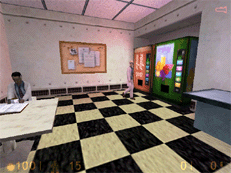
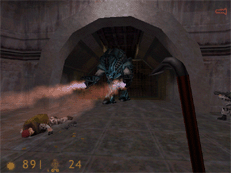
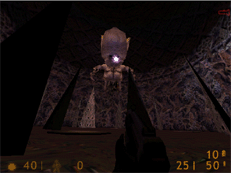
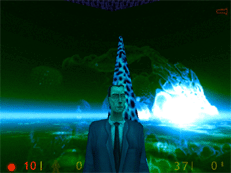
Screenshots
 |
 |
 |
 |
Cheats
To access the cheat codes, you must have the console enabled.
To enable the console, start the game using "hl.exe -console" from an MS-DOS window or the Windows run line. You can also create a shortcut to hl.exe and add -console to the shortcut.
An example of doing this command from the run line could look like:
c:\sierra\half-life\hl.exe -console
Once enabled you should be able to press the tilde key ( ~ ) in the game to bring down the console. In the console, type any of the below commands to enable the associated cheat.
| Command | Item or ability gained |
|---|---|
| /god | Enables God mode. |
| /noclip | Enables player to float through walls, floors, ceiling. |
| /map c#a# | Allows player to skip to map such as c2a1. |
| /give weapon_357 | Gives the player the 357 weapon. |
| /give weapon_9mmAR | Gives the player the 9mm Assault Riffle. |
| /give weapon_9mmhandgun | Gives the player the 9mm Handgun. |
| /give weapon_crossbow | Gives the player the crossbow. |
| /give weapon_crowbar | Gives the player the crowbar |
| /give weapon_egon | Gives the player the egon weapon. |
| /give weapon_gauss | Gives the player gauss. |
| /give weapon_glock | Gives the player the glock. |
| /give weapon_handgrenade | Gives the player a hand grenade. |
| /give weapon_hornetgun | Gives the player the hornetgun. |
| /give weapon_mp5 | Gives the player the MP5 weapon. |
| /give weapon_python | Gives the player the python. |
| /give weapon_rpg | Gives the player the rpg. |
| /give weapon_satchel | Gives the player a satchel. |
| /give weapon_shotgun | Gives the player a shotgun. |
| /give weapon_snark | Gives the player a snark. |
| /give weapon_tripmine | Gives the player a tripmine. |
| /give item_airtank | Gives the player an air tank. |
| /give item_antidote | Gives the player an antidote. |
| /give item_battery | Gives the player a battery. |
| /give item_healthkit | Gives the player a healthkit |
| /give item_longjump | Gives the player long jump ability. |
| /give item_security | Gives the player security. |
| /give item_sodacan | Gives the player a soda can |
| /give item_suit | Gives the player a suit. |
| /give ammo_357 | Gives the player ammo for the 357 |
| /give ammo_9mmar | Gives the player 9mmAR |
| /give ammo_9mmbox | Gives the player 9mmbox |
| /give ammo_9mmclip | Gives the player 9mmclip |
| /give ammo_argrenades | Gives the player Assault Riffle grenades |
| /give ammo_buckshot | Gives the player ammo for the buckshot |
| /give ammo_crossbow | Gives the player ammo for the crossbow |
| /give ammo_egonclip | Gives the player egon clip |
| /give ammo_gaussclip | Gives the player gauss clip |
| /give ammo_glockclip | Gives the player glock clip |
| /give ammo_mp5clip | Gives the player mp5 clip |
| /give ammo_mp5grenades | Gives the player mp5 grenades |
| /give ammo_rpgclip | Gives the player rpg clip |
Half-Life: Opposing Force overview

Type: Action
ESRB Rating: Mature
Release Date: 11/01/1999
Developer: Valve Corporation
Publisher: Sierra Studios
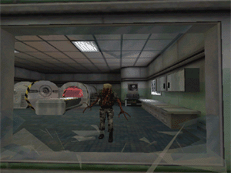
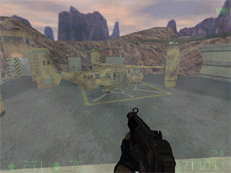
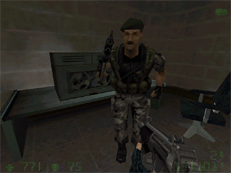
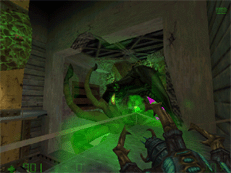
Half-Life Opposing Force is the official add-on from Sierra that takes you back to the same location as the original Half-Life. However, this time you are playing the opposite side/faction as the original. If you are familiar with the original Half-Life, you recall playing as Freeman, a Scientist who, after a catastrophe experiment, ended up finding out about a dark military secret. Now you are back in the action, however, this time you play the role of one of the military troops set to stop Freeman for an unknown reason.
Half-Life Opposing Forces is a great game especially for all of us who enjoyed the original. You explore the same world and have new abilities such as managing other troops in a group and using these troops for their special skills, such as a medic for healing.
While we believe this is a superb add-on to the original Half-Life, our only disappointment was that the game seemed very short. We completed the game in less than 5 days. Looking past the short time it took to play and beat Opposing Force, we highly recommend this add-on.
You can find this excellent addition on CD or on Steam
Requires Half-Life to be installed.
System Requirements: Microsoft Windows - Apple - Linux
| Windows System Requirements | |
|---|---|
| Operating System: | Windows 95, Windows 98 |
| Processor: | Intel Pentium 133 MHz |
| Memory: | 24 MB RAM |
| Graphics Card: | SVGA graphics, 16-bit color Direct3D or OpenGL 3D accelerator supported |
| Sound Card: | Windows compatible sound card |
| Hard Drive Space: | 400 MB |
| CD/DVD Drive: | 2X CD-ROM |
| Controls: | Keyboard & Mouse |
| Multiplayer: | 32-bit ISP and 28.8 Kbps modem or TCP/IP compatible network card |
Screenshots
 |
 |
 |
 |
Cheats
To access the cheat codes, you must have the console enabled. To enable the console, start the game using the following command:
hl.exe -dev -console -game gearbox
You can also enter this line from an MS-DOS window, the run line in the Windows Start Menu, or create a shortcut to hl.exe and edit the shortcut adding the -dev -console -game gearbox.
| Command | Item or ability gained |
|---|---|
| /god | Enables / disables God mode |
| /impulse 101 | Get all weapons and full ammo |
| /noclip | No clipping |
| /give weapon_displacer | Gives the player Displacer weapon |
| /give weapon_eagle | Gives the player Eagle weapon |
| /give weapon_grapple | Gives the player Grapple weapon |
| /give weapon_knife | Gives the player Knife weapon |
| /give weapon_m249 | Gives the player M249 weapon |
| /give weapon_pipewrench | Gives the player Pipe Wrench |
| /give weapon_sniperrifle | Gives the player Sniper Riffle |
| /give weapon_shockrifle | Gives the player shock Rifle weapon |
| /give weapon_scorelauncher | Gives the player Score Launcher weapon |
| /give ammo_556 | Get M249 ammo |
| /give ammo_762 | Get Sniper rifle ammo |
Half-Life: Counter-Strike overview
Type: Action
ESRB Rating: Mature
Release Date: 06/19/1999 (Mod), 11/01/2000 (Retail)
Developer: Valve Corporation
Publisher: Sierra Studios, Valve Corporation
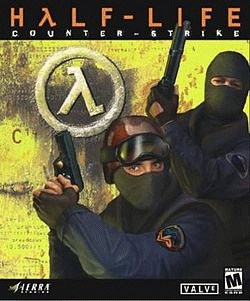
Counter-Strike is a modification (MOD) for Half-Life bringing in new aspects to the multiplayer aspect of Half-Life, with a similar look and feel. In Counter-Strike you control new units with a completely new arsenal.
If you are a gamer who enjoys LAN parties or plays this game at school, work or at home with several friends, this MOD is an excellent 'Free' addition to Half-Life.
You can find this excellent addition on CD or on Steam
System Requirements: Microsoft Windows - Apple - Linux
| Windows System Requirements | |
|---|---|
| Operating System: | Windows 95, Windows 98 |
| Processor: | Intel Pentium 133 MHz |
| Memory: | 24 MB RAM |
| Graphics Card: | SVGA graphics, 16-bit color Direct3D or OpenGL 3D accelerator supported |
| Sound Card: | Windows compatible sound card |
| Hard Drive Space: | 400 MB |
| CD/DVD Drive: | 2X CD-ROM |
| Controls: | Keyboard & Mouse |
| Multiplayer: | 32-bit ISP and 28.8 Kbps modem or TCP/IP compatible network card |
Half-Life: Team Fortress Classic overview
Type: Action
ESRB Rating: Mature
Release Date: 04/01/1999
Developer: Valve Corporation
Publisher: Sierra Studios
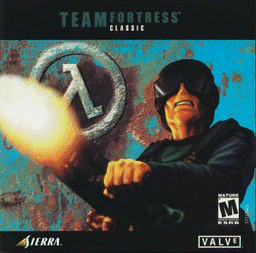
From the company that brought you the game Half-Life, there's Team Fortress Classic (abbreviated TFC). For anyone who plays multiplayer games, Team Fortress Classic is a MUST.
With Team Fortress Classic, the player can choose the class, each with its distinct abilities and fight it out against the opposing team.
You can find this excellent addition on CD (bundled with Half-Life and other additions) or on Steam.
System Requirements: Microsoft Windows - Apple - Linux
| Windows System Requirements | |
|---|---|
| Operating System: | Windows 98, Windows 2000, Windows XP |
| Processor: | Intel Pentium 500 MHz |
| Memory: | 96 MB RAM |
| Graphics Card: | 16 MB Video RAM |
| Sound Card: | Windows compatible sound card |
| Hard Drive Space: | 400 MB |
| CD/DVD Drive: | CD-ROM |
| Controls: | Keyboard & Mouse |
| Multiplayer: | Internet connection or TCP/IP compatible network card for LAN play |
Action Half-Life overview

Type: Action
ESRB Rating: Mature
Release Date: 07/01/2002
Developer: Action Half-Life Team
Publisher: N/A
Action Half-Life brings action the realism of real combat fighting with more realistic wounds when getting shot and the inability to heal yourself. With these differences you are a much more cautious player and have a much different experience.
System Requirements: Microsoft Windows - Apple - Linux
This game is only available for Windows. However, the Windows system requirements are unknown.
Strategy & Hints
- Always move - Unless you are attempting to snipe an individual, you are asking for trouble when you stay in one place like a sitting duck.
- Utilize your second button - The majority of the weapons used in each of the variations of Half-Life have a second button. Using this can be to your advantage.
- Aim at the head - Even in the original Half-Life, shooting your opponents in the head will kill them faster.
- Use the Egon weapon - If held down, this gun generates so much power that it can shoot through walls. Use it to kill your opponents or enemies that may be hiding behind them. Shooting this gun at the ground also shoots your character up in the air. If used properly, you can get on top of buildings and walls where no one will expect you or be able to attack you.
- Use the Hornet gun - While it seems harmless, can be deadly as you have unlimited ammo. Also, when shooting the ammo, the hornets will fly and attack your opponents.
- Laser Guided Missle - Use it too your advantage. The red dot guides the missiles and if you're quick enough can kill individuals around corners.
- Use Trip Mines - When playing multiplayer, use your Trip Mines to your advantage for additional kills. Place the Trip Mines in spots such as in water where the player will generally end up dying as they are pulled into the Trip Mine. Or you can duck and place the trip mine on stairs. As players go down the stairs, they will more than likely trip the explosive. Place trip mines on the top of ladders. Most players will not look at the top of the ladder when climbing it. When at the top, they will more than likely be killed by your Trip Mine. Finally, while this takes practice, you can place Trip Mines within doors. When opened, the player will be killed. Be careful because you too will not be able to tell if a door is trapped or not.
Technical support
- Full listing of computer game terms.
- All general computer game related Q&A's.
- Microsoft DirectX help and support.
- Sound card help and support.
- Video card help and support.
- Sierra company and contact information.
- Valve Corporation company and contact information.
- Help with the Half-Life series of computer games.
- Basic computer game troubleshooting.
- Where can I find cheat codes for my game?
- How to get a new unique identification number if lost.
- Why is there no sound in new game, but it works elsewhere?
- How to find information about computer products.
- Why is my online game so slow?
- How to play a game over the Internet.
- If your question is not listed here try our computer help forum.