
MechWarrior 2: 31st Century Combat
MechWarrior 2: 31st Century Combat overview
Type: Puzzle
ESRB Rating: Teen
Release Date: 07/24/1995
Developer: Activision
Publisher: Activision
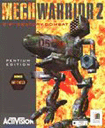
MechWarrior 2: 31st Century Combat takes place in 3057, where there is a power struggle between two clans: Clan Wolf and Clan Jade Falcon. In this game, the player controls mechs, which are giant robots controlled by humans. When the player begins the game, they must choose one of the two clans they want to represent.
MechWarrior 2 does take some getting used to if no joystick is involved, as several keys that need to be memorized. Therefore, we recommend using a joystick, preferably the Microsoft Sidewinder joystick, as it has the swivel action, which can be frequently used in the game.
System Requirements: Microsoft Windows - Apple - Linux
| Windows System Requirements | |
|---|---|
| Operating System: | MS-DOS 6.0, Windows 95 |
| Processor: | Intel 486DX2 66 MHz Intel Pentium 90 MHz for Windows |
| Memory: | 8 MB RAM 16 MB RAM for Windows |
| Graphics Card: | VGA graphics, 256 colors, 640 x 480 resolution |
| Sound Card: | 100% Sound Blaster compatible sound card |
| Hard Drive Space: | 30 MB |
| CD/DVD Drive: | 2X CD-ROM |
| Controls: | Keyboard & Mouse Joystick optional (Microsoft SideWinder supported) |
| Multiplayer: | 1-8 players over Modem or LAN connection |
Cheats
Hold Ctrl+Alt+Shift while typing the following commands during a simulation:
- cia - Unlimited ammo
- coldmiser - Heat tracking off
- dei - Character says "F E I F"
- dorcs - Meet the DORCS!
- enolagay - Nuke, one time use during simulation.
- tlofront - Rear view camera becomes a front camera
- hangaround - Something about a blimp. I think you hang around in the simulation even the time ended until you press these code again.
- icanthackit - End mission
- idkfa - Different means as icanthackit, but same result.
- lairdo - Character says "ATTENTION ENEMIES: Don't mess with the blimp."
- meepmeep - Time compression key enabled
- unmeepmeep - Time Compression Off
- michelin - See the bounding spheres on debris and mech parts
- mightymouse - Unlimited jumpjets
- xray - X-Ray vision. Same as Enhance Imaging, but you can see through walls/mountains. Press "w" once to disable it and remain in Enhance Imaging mode.
- zmak - Time expansion enabled
- blorb - Invulnerability
- tinkerbell - Free-floating external cameras, press "C" to Disable
Technical support
- Full listing of computer game terms.
- All general computer game related Q&A's.
- Microsoft DirectX help and support.
- Sound card help and support.
- Video card help and support.
- Activision company and contact information.
- Basic computer game troubleshooting.
- Where can I find cheat codes for my game?
- How to get a new unique identification number if lost.
- Why is there no sound in new game, but it works elsewhere?
- How to find information about computer products.
- Why is my online game so slow?
- How to play a game over the Internet.
- If your question is not listed here try our computer help forum.