Computer Hope

Other Pages

Home
Site map
Computer help

Dictionary
News
Q&A
What's new

Tools

E-mail this page
Print Preview
Edit this page


Computer Hardware
Information about computer Joysticks

Quick links

Joystick ABCs
Troubleshooting

JOYSTICK ABCs

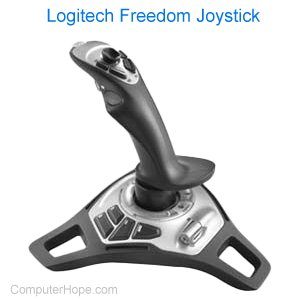
The joystick is a hardware input device used for games and/or flight simulators. This device is used to maneuver a particular item throughout locations.

Along with the capability of maneuvering items, the joystick will also have a series of buttons which can be programmed to fire weapons, add acceleration as well as several other possibilities, depending upon the program.


TROUBLESHOOTING

Installing Windows NT

1. Click on Start, Settings, then Control Panel
2. Double-click the Multimedia icon
3. Select the Device Tab
4. Click on the Add button
5. Select Unlisted or updated driver
6. Select Browse and open up the drive containing the Windows NT CD
7. Open the \drivlib\multimed\joystick\x86 folder
8. Click OK, then OK
9. Select "Analog Joystick Driver", then click OK
10. When asked to restart the computer, select Yes
After the computer reboots, open the Control Panel and double-click the Joystick icon. Calibrate your joystick.

Determining if Joystick physically works

You may also want to read our Debug Routine Page which gives an example of how to test the Game port on your computer.

Index

Category:
Hardware

Companies:
Click here

Related Pages:
Games


Drivers

No specific drivers for this topic.

See Drivers Page for complete listing of drivers.


Resolved

Were you able to locate the answer to your questions?


Home - Computer help - Contact - Dictionary - Links
Link to Computer Hope - Bookmark Computer Hope