
How to change the Windows New options in right-click menu
Updated: 07/31/2022 by Computer Hope
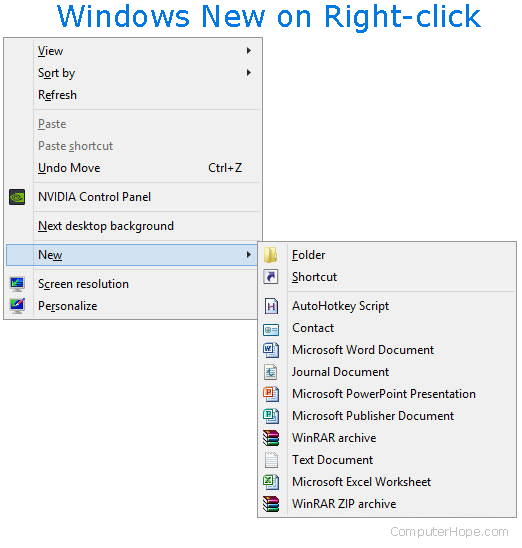
In Windows, when you right-click an empty space on your desktop or in a File Explorer folder, an option in the context window is "New >". If you move the pointer over this option, you're presented with a drop-down menu, listing types of new documents you can create at this location. It's a convenient way to create a new text file or Word document, for example.
Note
The ability to change the New > options in the right-click menu is only available in Windows XP and previous versions.
If you like using this feature, and you want to add a new type of document to the New list, follow these steps.
Windows XP users
- Install and open TweakUI.
- Click the Templates option in the left side of the window.
- To remove any options available through the new section, you can highlight the icon you want to remove and click the Delete button.
- To add new templates, click the Create button and locate a file of your choice to add. If a template has not been created for the file you are attempting to add, you will receive an error.
Windows 98, Windows Me, and Windows 2000 users
- Install and open TweakUI.
- In TweakUI, click the New tab.
- To remove any options available through the new section, you can highlight the icon you want to remove and click the Remove button.
- To add a new options, drag-and-drop the icon of your choice into the window. If a file template has not been created, you will receive an error when attempting to drag the file into the window.