
How to tell if my computer has a microphone
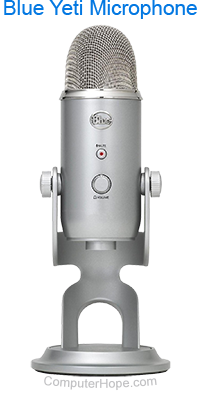
With computer microphones, there are two varieties: external or internal. An external mic is a peripheral outside your computer, such as a desktop device (shown right), or as part of a headset. Essentially, if you do not have one of these devices attached to your sound card or USB (universal serial bus) port, you don't have an external mic.
Internal microphones, as the name implies, are built into the body of a laptop, or the bezel of a computer monitor or laptop screen. You can find them by physically examining the hardware and looking for a few small holes that are close to one another. However, we find it easiest to confirm with software. To proceed, select your operating system from the list below and follow the instructions.
Windows Vista, 7, 8, 10, and 11
The information in this section helps you determine if you have an internal or external microphone on a Windows-based PC.
- Press the Windows key, type Control Panel in the Windows search box, and press Enter.
Or, open the Windows 10 Start menu, and select Windows System > Control Panel.

- In the Control Panel, click Hardware and Sound.
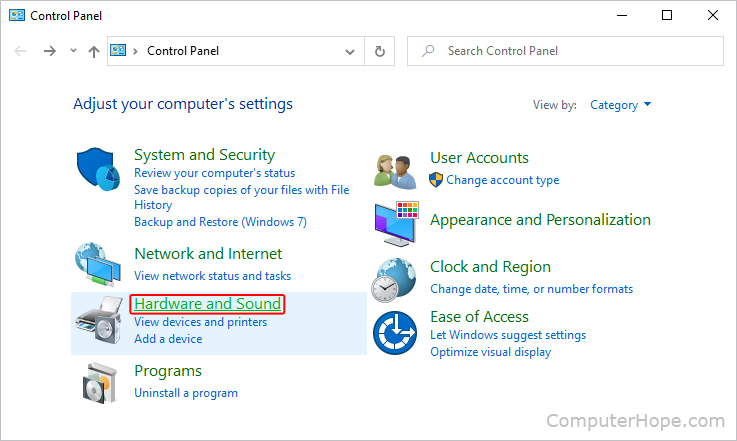
If you use the Large icons or Small icons view instead of the Category view in Control Panel, click the Sound option and skip to step 4.
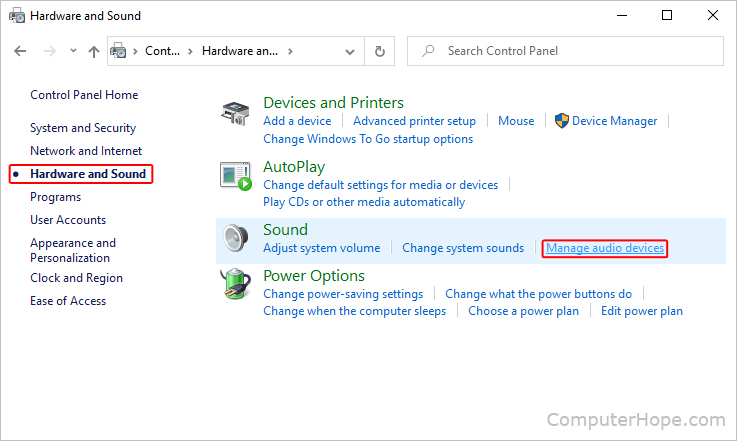
- Click the Hardware and Sound option in the left navigation menu, then click Manage audio devices near the center-right portion of the screen.
- At the top of the window, click the Recording tab. If you have an internal or external microphone, it displays in the middle section.

- If you have more than one input device, you can switch to another by selecting it, and then clicking the
 and
and  buttons.
macOS
The information in this section helps you determine if there is an internal or external microphone on a desktop or laptop computer running macOS. For example, a MacBook or iMac. The way to tell if your device has a microphone depends on which version of macOS it runs. To proceed, select the appropriate entry from the list below and follow the steps. If you're unsure which version is on your device, see our page: How to determine the version of macOS on a computer.
macOS Ventura and Sonoma
Here is how to detect a microphone in macOS versions 13 and 14.
- At the top-left corner of the desktop screen, click the Apple icon.
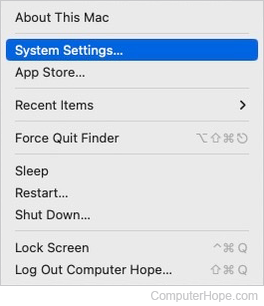
- Select System Settings from the Apple menu.
- In the sidebar, click the Sound selector (A). Then, in the right section under Output & Input, click the Input button (B). Any microphones are listed in this section (C).

If your computer doesn't have a microphone of any kind, either built-in or connected, you will see the message "No audio input devices found" displayed in the Output & Input section.
macOS High Sierra, Mojave, Catalina, Big Sur, and Monterey
Here is how to detect a microphone in macOS versions 10 through 12.
- In the menu bar, click the Apple icon to open the Apple menu, and choose System Preferences.
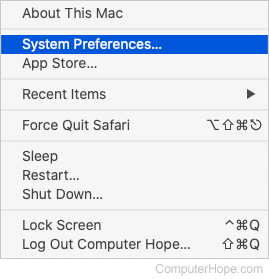
- Click the Sound icon in the System Preferences window.

- In the Sound menu, click the Input tab. If you have an internal or external microphone, it displays in the middle section.

- If you have more than one input device (microphone), you may change between them by clicking a different device.
Smartphones and tablets
All smartphones and tablets come equipped with a microphone or device capable of recording a voice and is enabled by default. On the latest versions of iOS and Android, a small indicator appears whenever an application is accessing the microphone.
Microphone permissions can be changed in the Permissions section inside your Settings app.