
How to burn or create a CD or DVD on a computer
To learn how to create or copy a CD (compact disc) or DVD (digital versatile disc) on your computer, review the sections below.
You must have a disc drive capable of burning a CD and a blank recordable CD-R (compact disc recordable). For example, a CD-RW (compact disc re-writable) and DVD-RW (digital versatile disc read/write) are examples of drives capable of burning a CD. A standard CD-ROM (compact disc read-only memory) drive cannot burn a CD with any program.
Create data and audio CDs
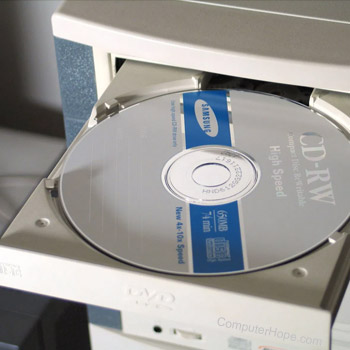
Creating a CD or DVD for files, videos, music, pictures, documents, or other data, is a great way to have a saved backup of those items. Numerous programs are available today for creating CDs. Below is a short list of some popular programs used to copy, burn, and create audio and data CDs.
- CDBurnerXP Pro - Free Microsoft Windows CD and DVD burner program.
- Nero - A popular program to create CDs.
- Alcohol 120% - Another popular and widely used program to create CDs.
- Easy Media Creator or Toast - Products from Roxio, Easy Media Creator is a widely used Windows computer program. Toast is a popular program to create CDs on Apple Macintosh computers.
Because of the many different CD burning programs available, we cannot provide instructions on how to use each one to create a CD. We recommend you search on the Internet or check the software manufacturer's website for instructions on using the program of your choice.
Only create audio CDs
If you only need to burn an audio CD to store music, it's likely you already have a program installed on your computer capable of burning CDs. Below lists some commonly used programs to create audio CDs (in addition to those mentioned above).
- Microsoft Windows Media Player 10 - All latest versions of Microsoft Windows have Windows Media Player installed and can create audio CDs.
- Apple iTunes - All versions of Apple iTunes for the Mac and Windows computers can burn CDs. If you have this program installed on your computer, you can also create audio CDs.
Other CD burning software
Many programs enable users to create CDs. If you are interested in something other than any of the above solutions, try searching Google.