
What is the MS-DOS path for the Windows desktop?
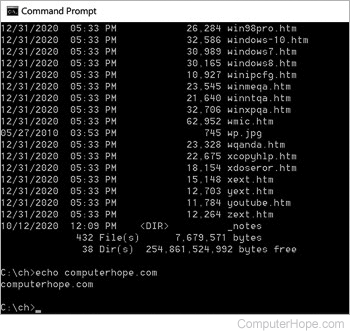
After placing files on your desktop, you may want to access those files from the Windows command line. The following steps help you get to the desktop directory from the Windows command line for each of the versions of Microsoft Windows.
Windows Vista, 7, 8, and 10 users
The desktop is located in the directory path below. In the example below, you would replace the (username) part with the name of the user profile you use to log into Windows.
c:\Users\(username)\Desktop
To access the DOS command prompt, click Start, type cmd in the Search programs and files or Type here to search text field, then press Enter.
In Windows 8, press the Windows key, type cmd, and press Enter.
Often when opening the command prompt window, you'll automatically be placed in the (username) directory. Therefore, you only need to type cd desktop to get into the desktop.
Can't find the desktop directory path
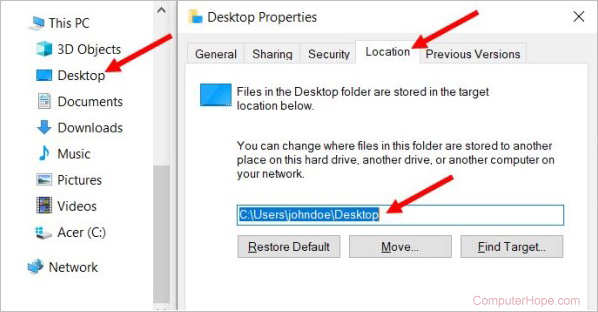
If the desktop is not found at the default location, you can find the current location by following the steps below.
- In Windows 8 and 10, open File Explorer. In Windows 7, click Start, then click Computer.
- In the navigation pane on the left side, right-click Desktop and select Properties.
- In the Properties window, click the Location tab.
- The directory path to the desktop is displayed in the text field on the Location tab.
Windows 2000, 2003, and XP users
The desktop is located in the directory path below. In the examples below, you would replace the (username) with the name of the profile you use to log into Windows.
c:\documents and settings\(username)\desktop
or
c:\docume~1\(username)\desktop
To access the DOS command prompt, click Start, click Run, type cmd in the Run text field, then press Enter.
Often when opening the command prompt window, you automatically be placed in the (username) directory. Therefore, you only need to type cd desktop to get into the desktop.
If you're in any other directory, you would need to type cd \docu~1\(username)\desktop to get into the desktop.
Windows 98, 95, and Me users
When entering the MS-DOS prompt, you are automatically placed in the desktop directory. However, if you're not, the desktop directory is in the following path.
c:\windows\desktop