
How to fix smudged, lined, or distorted printer printouts
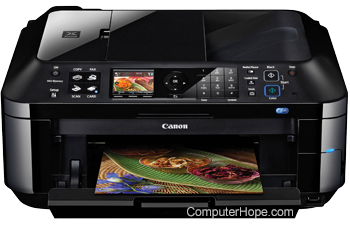
Many users experience printout issues at some point. Whether it's a document or photo that looks smudged or distorted, has lines running through it, or even random characters and symbols in odd locations, print artifacts are frustrating. Because there are multiple causes for these issues, we recommend reading each of the following sections in order. They're written systematically to troubleshoot the problem in the most efficient manner possible.
If your printer has a paper jam and you want to clear it, see: How to fix a paper jam in a printer.
Paper issues
If you use anything other than standard printer paper, you may see smudges, uneven or crooked text, or text that runs off the edges. Try using 8.5 x 11 sheets in your printer to verify this is not the issue. If it works fine with standard paper, you may have a sizing or texture issue. If not, move on to the next section.
Certain paper sizes may require users to move a slider or feed the paper into the printer in a non-traditional manner. See your device's documentation for steps on loading different paper sizes into the printer. Additionally, some varieties of paper have textures on the surface that causes smudging, streaks, or lines. As a result, some types of paper won't be compatible with your machine.
If you live in an area where the air is often humid, moisture can be absorbed by the printer paper. When printing on slightly moist paper from humidity, ink can become smudged, colors can run together, and distortions may occur. Make sure you're using dry paper during the print process.
Blurry printouts
If text or pictures look blurry when printed, it may be due to low print quality settings. By default, most printers use a low (sometimes called draft) quality, which may result in text and pictures looking blurry. With fewer dots printed per square inch, these lower-resolution printouts can look less crisp.
When printing a document or picture, click the printer properties or similar option on the print options screen. In the properties window, look for a print quality setting and change it to Normal or Best to improve the quality of the printout.

Driver related issue
If a printer produces unreadable text or strange characters, you may be experiencing a driver-related issue. Download the latest drivers for your printer and install them. See our printer drivers index for a list of printer manufacturers and links to the driver sections on their websites.
If updating the printer drivers doesn't help, try uninstalling the printer from your computer. Then, restart your computer and reinstall the printer using the latest drivers and software from the manufacturer's website.
Printer connectivity issues
If your printer continues to produce random, non-legible characters instead of text, there may be a bad connection. Disconnect the data cable (likely USB) from your computer and then plug it back into the computer. If the problem persists, try a new USB (universal serial bus) cable to ensure it's not defective.
If your printer is connected to your Wi-Fi network, try the following:
- Disconnect the printer from the Wi-Fi network. In the network settings screen on the printer, look for an option to forget the network or disconnect.
- Unplug the power cord from the printer for thirty seconds, then plug in the power cord again.
- On your computer, delete the printer from the Devices and Printers list in the Windows Control Panel, or from the Printers & Scanners list in the macOS System Settings.
- Turn the printer on and connect it to the wireless network.
- Connect your computer to the printer again.
- Try printing a document to see if the issue is resolved.
Dirty or misaligned print heads
Your printer may produce fuzzy, blurry, or faint text and images because the print heads are dirty. All modern printers have a self-cleaning mode, which cleans the internal equipment used in the printing process (including the print heads). If you use your printer often or have had it over a year, we recommend running its cleaning function. Consult your device's documentation for details on how to run the cleaning function, as it differs for each printer brand and model.
Ink cartridge issues
If you have been using the same cartridge for over a few months, you may want to check the ink or toner levels. On most modern printers, you can check these levels using software or a light indicator on the front of the machine (consult the owner's manual for details on indicator lights).
Furthermore, if the printer has used the same ink cartridge for over a year, it can dry out, or the print heads can become gummed with ink residue. While you can try cleaning the print head, we recommend replacing the ink cartridge for the best results.
Buildup of paper fragments
As paper feeds through the printer, tiny fragments can break off the edges of each sheet. Over time, those fragments or shreds can build up on the paper rollers and other areas in the printer. If enough buildup occurs, it can lead to smudges or lines on printouts.
To clean out built-up paper fragments in the printer, we recommend using compressed air designed for electronics. Thoroughly blow out any paper fragments through the front of the printer. If the printer has an access panel on the back, open that panel and blow air through the back to dislodge and clear paper fragments.
Laser printer hardware issues
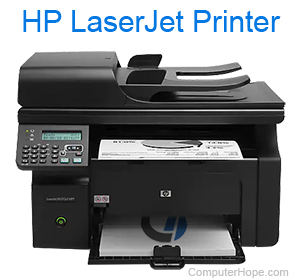
A laser printer has several hardware components that could cause issues with print quality. One piece of hardware to check is the toner cartridge and drum assembly. The drum itself can be defective, which results in toner misapplied to paper or smudged toner due to too much toner applied to the paper. A defective drum can also cause print lines to appear on paper, often in the same place on each sheet. Multiple print lines can appear on paper, evenly spaced between each other.
The toner cartridge may have toner "leaking" from it, causing excess toner to get on the paper and other parts of the laser printer. Leaking toner, in general, can make a mess on the paper and inside the printer.
Another piece of hardware in a laser printer that causes issues is the fuser. It is the component that fuses, or adheres, the toner to the paper. When it is not fusing correctly, toner can be smudged on the paper if non-fused toner sticks to the rollers.
For a bad drum or leaking toner, it is best to replace the entire cartridge. If you suspect a bad fuser is at fault, it is best to have the laser printer serviced at a repair shop.
Other printer hardware issues
If you tried all the recommendations above and continue to have problems, your printer likely has a hardware issue. Contact the printer manufacturer for additional recommendations and suggestions on repair or replacement options.