
What can I do if my computer or laptop was lost or stolen?
Lost computer
If you lost a computer or laptop, retrace your steps to try and remember where it may have been placed. If you think it was lost at a retail store or school, check with the staff to see if it's in lost and found.
After retracing your steps, if you cannot find your computer, you can try contacting the authorities and reporting your laptop as lost. It might be a long shot, but your computer may get turned in by someone that finds it.
Contact authorities
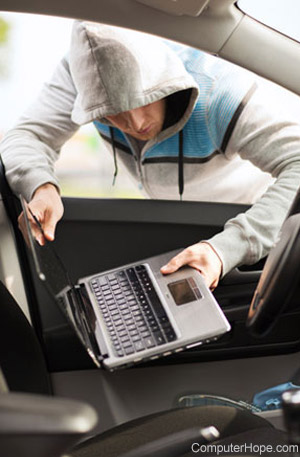
Anytime you are a victim of a crime, that incident should be reported to the authorities. Often if you plan on claiming the stolen computer for insurance, you must have already filled out a police report. Reporting the incident immediately after the crime saves you time in the future.
Home
If your house was burglarized, immediately contact the local authorities to file a report, so if your computer is found, it can be returned.
Office
If you believe a fellow employee has stolen your computer, immediately contact Human Resources, IT (information technology), or someone in management. If company confidential information is on the computer, that should also be mentioned.
School
If your computer was taken while you were at school, talk to your teacher, principal, lost and found, school officer, or school staff to whom you can report the incident.
Other public location
If your computer was stolen in a public place such as an airport, coffee shop, library, taxi cab, etc., report the incident to the police.
Protect yourself
Before worrying about getting the computer or laptop back, first protect yourself. The following steps require access to a computer, smartphone, or tablet. So, if needed, visit a friend, neighbor, relative, school, library, work, or somewhere you can get a computer with Internet access.
- Log into any sensitive accounts (e.g., bank accounts, online e-mail, PayPal, eBay, iTunes, IM (instant messenger), etc.) and change your password, just in case that information was saved on your other computer.
- If you have other sensitive information on your computer (e.g., bank PIN (personal identification number), bills, credit card information, cell phone, etc.), make sure to notify the companies in charge of those accounts.
- Contact your computer manufacturer so they can make a note in their database that the computer was stolen, in case the thief tries calling support.
- Learn more about identity theft, because the likelihood of you becoming a victim has now increased.
- If your computer had confidential company information, government-related information, or stored personal information of other people, notify your employer immediately.
Trying to get it back
Before getting your computer or laptop back, get the serial number or model number so it can be identified. If you do not have records of this information, contact the manufacturer to see if they can provide this information.
- Make sure to notify the authorities, employees, lost and found, etc. with your report of a lost computer. Often if your computer is found, they need to know how to contact you.
- Leave some not so sensitive accounts such as your Instant Messenger, distributed systems, YouTube account, Flickr account, MySpace account, etc. open and watch the pages for activities. In some situations, the thief may use the account because it automatically logs into the page. This information could be used to help identify the person.
- Visit local pawn shops and watch the local paper want ads for a few weeks, to see if the thief is trying to pawn it or sell it off.
- Place an article in the want ads with your computer description and serial number, and mention a reward for returning your lost computer.