
Steps in preventing computer theft or making it less painful
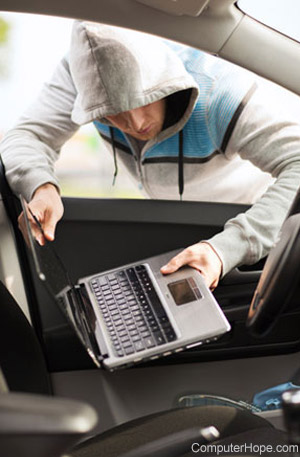
Below is a short list of recommendations to help protect your laptop from being stolen and eliminate stress if it does get stolen.
Protect
Keep track of important data
Write down the computer serial number and model number, the support phone number, and other useful details about the computer and store that information in your files. Keep the receipts of your computer and associated equipment. This information comes in handy when reporting the laptop as stolen.
Engrave contact and reward info
Engrave, or put a sticker on the laptop with a phone number and reward of around $250 if the laptop is returned. Often many thieves can't get more than this on the black market and may call you to sell it back to you.
Don't keep it out in the open
Never keep your laptop out in the open; this is especially true when the laptop is in your car. If you leave your laptop alone, even for a moment, it's an easy target for someone to grab while you're not looking.
Use a laptop lock
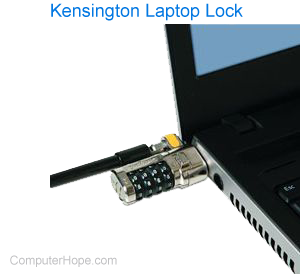
If you use a laptop at a coffee shop, work, school, or away from home, attach it to a lock. Most laptops today support the Kensington Lock to prevent it from being taken if you step away. If a Kensington Lock is not available, Compucage, Kensington, and Targus offer other security protection and locks.
Keep your eyes open at the airport
If you're taking your laptop with you on a plane, keep a close eye on it at all times. Especially when it has to leave your hands to go through a metal detector. Thieves can use this opportunity to take your laptop.
Use laptop protection services
Check to see if your laptop has TheftGuard or any other security system. If not, consider an alternative program. We've listed several of these programs in the below services that help track and protect.
Eliminate stress
Backup your important data
Keep a daily external backup of all your important data. Having your important data on a CD (compact disc) or other drive that's not part of your computer can save you time and pain if your computer goes missing.
You can also use cloud backup services to automatically back up your information that could be accessed even if your computer was stolen. For help with backing up, see: How to back up your computer.
Password protect
Create a boot password in BIOS setup, so your computer prompts for a password before it boots.
Protect passwords
Use a good password manager to store and encrypt your password and other login information. Many people put login information in a text file that could be read by the person who stole the laptop.
Encrypt sensitive data
If you have confidential information, encrypt or password-protect that data.
Protection and tracking services
Several online services help protect your computer, and if it's stolen, help locate it. Below are these companies in alphabetic order.