Computer Hope

Other Pages

Home
Site map
Computer help

Dictionary
News
Q&A
What's new

Tools

E-mail this page
Print Preview
Edit this page


Reference number: CH001038

How do I view the name or label of a drive?

Question:

How do I view the name or label of a hard drive?

Answer:

Windows users

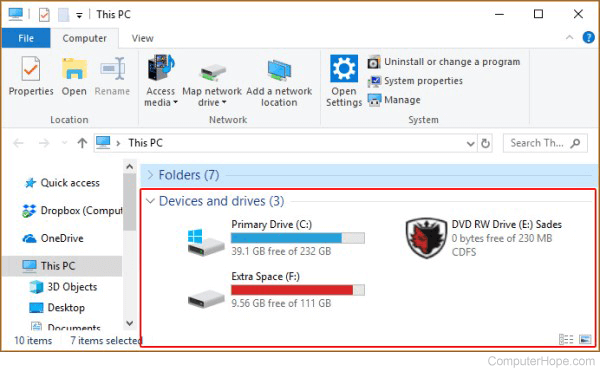
  1. Open My Computer.
  2. In My computer each drive listed will display their names before the drive letter. For example, a drive may be displayed as "CH (C:)", CH is the name of this drive and C: is the drive letter. In addition to displaying the label of the drive, this way you can also right-click each drive and select properties to display the properties of the drive including its name.

MS-DOS users or from the Windows command prompt

  1. Change to the drive you wish to view the name or label of. Additional information about changing drives can be found on document CH000515.
  2. Once at the drive, type label and press enter.
  • See our label command page for additional information and other options on this command.

Additional information:


Index


Category:
MS-DOS Q&A
Windows 95 Q&A
Windows 98 Q&A
Windows ME Q&A
Windows NT Q&A
Windows 2000 Q&A
Windows XP Q&A
Windows Vista Q&A

Companies:
Microsoft

Related Pages:
 

Resolved

Were you able to locate the answer to your questions?

Home - Computer help - Contact - Dictionary - Links
Link to Computer Hope - Bookmark Computer Hope