
How to test a computer CD-ROM and DVD drive for failures
Before following any of the steps below, make sure multiple discs do not work in the drive. If only one CD (compact disc) or DVD (digital versatile disc) is causing problems, it's likely a problem with the disc itself, and not a problem with the drive. For more information, see: Why do I receive an error when a CD is put in a computer?
Many CD and DVD drive errors in Windows are caused by drivers or other background programs. If you're running Microsoft Windows, troubleshoot the drive. For more information, see: How to fix a CD-ROM, DVD, or disc drive not working in Windows.
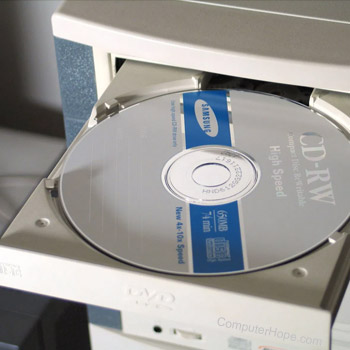
A bad CD-ROM (compact disc read-only memory) or other disc drive can cause an assortment of different issues on your computer. Below are some possible issues you may encounter. It is important to remember that the issues described below can also be caused by more than a bad disc drive.
- Error when reading CD or DVD.
- CDs or DVDs may not play audio or video properly.
- CD or DVD programs may not install or encounter errors after being installed.
There are different ways to test your computer's disc drive and determine if it's bad or has flaws. Below is a listing of these recommendations.
Software and hardware solutions
CD and DVD drives can sometimes get dusty and dirty inside, causing problems with reading discs. You can use a CD/DVD Drive Cleaner kit to help clean the disc drive, which can be purchased at many office supply stores and electronics stores.
Below is a listing of programs available designed to test your computer's CD and DVD drives and discs.
- CDRoller - Great program to test and, if needed, recover data from CDs and DVDs.
- CDCheck - Another great program used to help check CD drives (no DVD compatibility) and can also be used to help recover data from damaged discs.
There are many fantastic commercial products that are worth considering. Below is one of these products.
- CD/DVD Diagnostic - Diagnostic program from InfinaDyne that's not only capable of testing a drive and disc, but also can recover some or all data from bad discs.
Check the power supply
If the power supply is not providing enough power to the disc drive, it can cause the disc drive to not be able to function properly. The disc drive may not be able to read CD or DVD without enough power. You can check the power supply to determine if it's not working correctly.
If the disc tray will not open, that may also be a result of the power supply not providing any power, or enough power, to the disc drive.
Replace the disc drive
If the disc drive is still unable to read any CD or DVD after trying the above suggestions, the disc drive is most likely bad. We recommend you replace the disc drive to fix the problem.