
Why is my laptop computer not charging the battery?
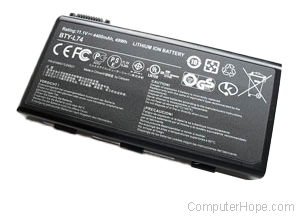
If your laptop works while plugged in but stops working after it's unplugged, your laptop battery is bad or your laptop isn't charging the battery. Below are steps that can be taken to help identify what's causing this issue.
Leave power plugged in
Make sure the computer is charging from the power plug for at least two hours before it is unplugged.
Connect laptop directly to wall
If you are using a power strip, surge protector, or UPS (uninterruptible power supply), disconnect the laptop from it and plug it directly into the wall. Sometimes, the power strip or other devices may be bad and preventing the battery from being charged.
Remove and reconnect battery
In some situations, the battery can become loose. If your battery is removable, try removing it and then put it back into the laptop.
Third-party utility
Use a third-party battery utility to determine the total capacity of the battery. For example, BatteryCare is a free software utility capable of doing this.
Refresh battery
Some laptop manufacturers have a feature in BIOS setup to refresh the battery. Try this option if it's available for your computer.
Replace battery or AC adapter
If your computer is still under warranty, skip to the next step.
If the steps above are completed, we suggest replacing the battery in the computer or AC adapter. In most situations, it's a bad battery and should be replaced.
Service laptop
After following the steps above, if the battery still does not charge, a laptop component has failed and needs to be replaced. Contact the computer manufacturer for information on getting the laptop serviced. Most likely the charger or inverter board needs to be replaced.