
How to back up your computer
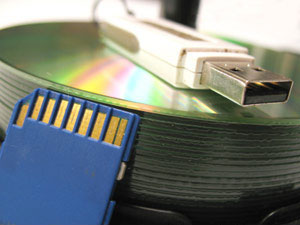
Backing up your computer is an important step every computer user should take if they do not want to lose any of their valuable information. This page covers how to back up your computer in case your computer fails, gets stolen, or gets destroyed in a fire.
Do I need to back up?
Yes. Everyone has information on their computer that they may not realize is important until it's lost. Examples of important information include Internet bookmarks, documents, financial information, saved e-mail, music, pictures, and saved games. Also, your computer may appear to be working normally, but it or the hard drive could fail at any time and without warning.
What should I back up?
For almost all computer users, the most important information to back up is anything that cannot be replaced or reinstalled. Usually, that includes personal document files, letters, photos, finance information, pictures, and saved games. Microsoft Windows users find most of this information in their My Documents folder.
Backup strategies
Back up to an alternate medium - Backing up your information to an alternate medium, such as a blank CD-R, blank DVD-R (digital versatile disc recordable), or USB (universal serial bus) flash drive, is one of the easiest methods to back up your information. Copying files to an alternative medium is the absolute bare minimum method of backing up your information.
Store backups online or at another location - If your home or office got destroyed or someone stole your computer and backups, everything would be lost. Making backups that are stored at a friend's house or storing backups online is the absolute best method of protecting your information.
Ongoing backup - Having a computer with RAID (redundant array of independent disks) or running software that makes backups as data changes helps make sure data is protected as it is updated. An ongoing backup is the best solution for sensitive information that is updated frequently. For example, if you were writing a book, having a backup that was a week old could result in hours of lost work.
Clone your system disks - You can create a backup of an entire physical disk, or an entire partition on that disk, using disk cloning software. To do so, you must have an external disk with a capacity at least as large as the disk you're cloning. Or, you can clone one partition to another partition of equal size, on the same or another internal disk. For example, if you have a 500 GB disk containing two partitions of 250 GB, you can clone the first partition to the second. The second partition contain a byte-for-byte copy of the original that can be restored later.
Backing up information to an alternate medium
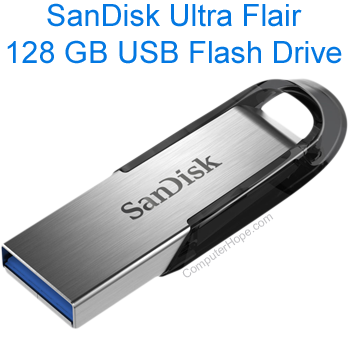
Copying data to an alternate medium, such as a CD-R (compact disc recordable), DVD-R, external hard drive, tape drive, or USB thumb drive, is one of the easiest ways to make a backup.
Before backing up your information, decide what medium is best for you. In the past, floppy diskettes, zip drives, and tape drives were popular. However, today these have all been replaced with CD-Rs, external drives, and USB thumb drives. The chart below rates each of these mediums, with "3" being the best rating and "1" being the worst rating. Overall, backing up all your information to a USB thumb drive is the best solution.
| Cost | Speed | Ease | Capacity | Compatibility | Portability | Total | |
|---|---|---|---|---|---|---|---|
| CD-R and DVD-R discs | 3 | 1 | 1 | 1 | 3 | 2 | 11 |
| External hard drive | 1 | 3 | 3 | 3 | 2 | 1 | 13 |
| USB thumb drive | 2 | 2 | 2 | 2 | 3 | 3 | 14 |
Backing up to a CD-R or DVD-R
Backing up to a blank CD-R, CD-RW (compact disc re-writable), DVD-R, or other writable disc is easy, but it requires CD/DVD writing software capable of writing data to the discs. These types of backups also require the disc be inserted into the computer each time you want to make a backup.
Backing up to an external hard drive
Backing up to an external hard drive is the best solution for anyone who needs to back up large amounts of data and needs to back up frequently. If you work with media like videos, you may also consider a NAS (network-attached storage) or a product like a Drobo for backup or media storage.
Backing up to a USB thumb drive
To back up to a USB thumb drive, copy and paste the files you want to be backed up to the thumb drive.
Store backups online or at another location
Backing up data to another medium is great for keeping your data safe. If your home or office got destroyed in a fire or flood, all backups could be lost, unless backed up in an alternate location or online. Today, there are many places online you can store your files. Some of those online locations are listed below.
If you don't feel comfortable storing information online, consider storing a disc or thumb drive at a family or friend's house, in a safety deposit box, or even in your car.
Automatic online backup services
- BackBlaze - Automatic backup for unlimited data for $60 a year.
- Carbonite - Automatically back up of all data with unlimited backup space for $24 a month.
- CrashPlan - Automatic backups for unlimited backup space for $10 a month.
- Dropbox - Online storage solution that can also be used to back up your data on any device with Dropbox installed.
- IDrive - Another cloud-based storage and back up solution.
Copy information into the cloud
Several cloud services can store your backups. See our cloud definition for a full listing of cloud services and other ideas of where to copy your files. Also, many of these cloud services have free accounts that give you a few gigabytes of storage.
How do I restore backed up information?
If the time comes when you must restore your information, copy the files back from the medium you used to back up the information. If you used an online backup service to back up your information, reinstall that program and then use it to restore some or all your data.