
Rotate
Updated: 03/10/2024 by Computer Hope
Rotate may refer to any of the following:
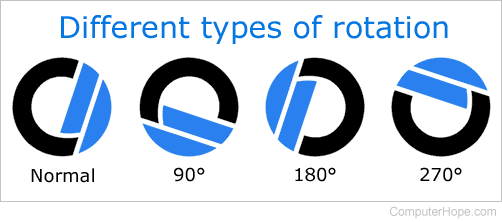
1. With an image or image editor, rotate is a feature that lets you turn an image in a clockwise or counterclockwise direction. For example, many editors lets you rotate images 90, 180, or 270. Below is an example of the Computer Hope logo and what it would look like rotated at 90, 180, and 270 degrees clockwise.
Tip
Pressing R selects the Rotate tool in Adobe Photoshop, which lets you rotate the canvas. To rotate the image, click Image and Image Rotation.
2. Rotate is the name of a transition.
Auto rotate, Bounding box, CCW, CW, Flip, Invert, Orientation, Photoshop terms, Video terms