
How to determine the type and speed of a processor
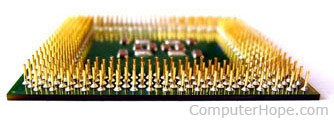
There are multiple ways to determine the manufacturer and speed of a computer processor. The following sections contain details on various methods.
Before following any of the steps below, it is important to realize that a processor's settings can be adjusted or overclocked. In other words, software settings can be altered to show a speed higher than the processor's native speed.
Windows users
If you are running Microsoft Windows, determine the processor brand, model or type, and speed by pressing Windows key and Pause at the same time. Doing so opens a System window similar to one of the examples below.
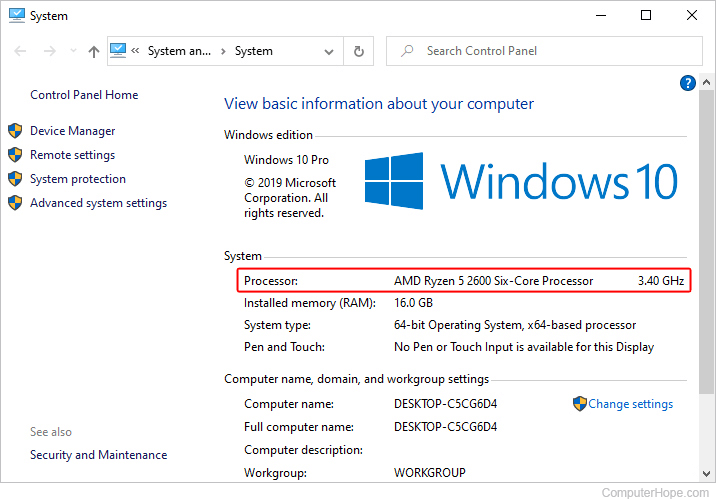
Windows 10 System Properties.
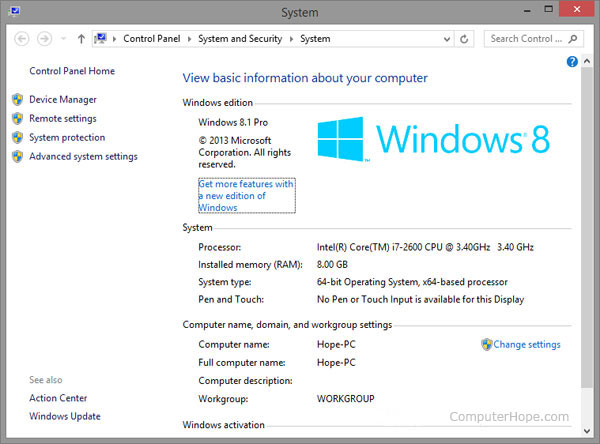
Windows 8 System Properties.
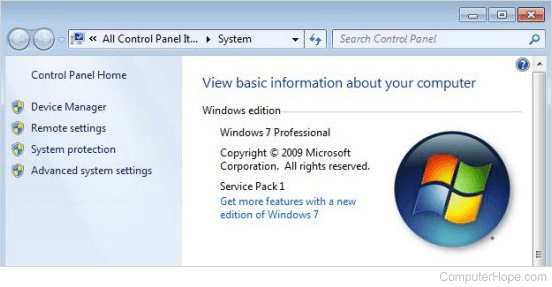
Windows 7 System Properties.
In the System properties window, the manufacturer of the processor (e.g., Intel or AMD), the model of the processor (e.g., Core 2), and the speed (e.g., 1.86 GHz) are displayed. For newer versions of Windows, it also displays the System type, like "64-bit Operating System, on x64-based processor" in the Windows 8 example.
The Windows 8 computer has an "Intel(R) Core(TM) i7-2600 CPU @ 3.40 GHz 3.40 GHz." Intel is the processor brand, Core i7-2600 is the processor model, and 3.40 GHz is the processor speed.
macOS users
If you are running macOS, determine the processor type and speed by following the steps below.
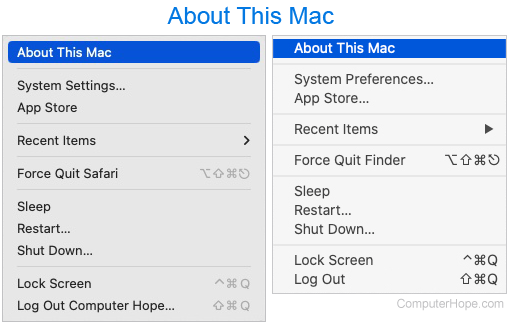
- In the menu bar at the top of the screen, click the Apple icon to open the Apple menu.
- In the Apple menu, select About this Mac.
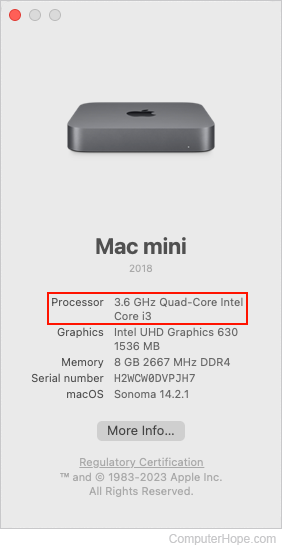
- In the system information window that opens, next to Processor, your CPU's speed and make is displayed.
Linux users
In a Linux OS, use one of the following commands to view information about the processor in the computer.
$ cat /proc/cpuinfo
$ less /proc/cpuinfo
$ more /proc/cpuinfo
Documentation
If you purchased the computer from an OEM, like Dell or HP, the manufacturer should include documentation that lists the system specifications of the computer. If you don't have said documentation, find it online after entering the model or Service Tag of the computer.
At boot
Some older computers show the computer processor type and speed as the computer boots. For example, as the computer boots, you may see text displayed on the screen similar to the following.
Intel Pentium(TM) III 1000 MHz
The example above indicates the computer has an Intel processor running at 1 GHz, or 1000 MHz.
Unfortunately, the boot process is often very fast. You may have little or no time to read all the information on the screen during one boot. Also, many motherboard and computer manufacturers have a BIOS splash screen that shows the company or motherboard logo as the computer boots instead. However, you may press Esc to display the text behind the logo. Additionally, press Pause to pause the boot process, allowing you to read all the information.
CMOS
If the computer has no documentation and does not indicate the processor speed at boot, check CMOS setup for the processor speed in the Main or Advanced settings menu.
Software
There are many software utilities designed to detect a computer's processor and display its specifications. See the third-party tools in the link below for a list of popular programs.