
Why is my printer not working after replacing ink cartridges?
Updated: 03/10/2024 by Computer Hope
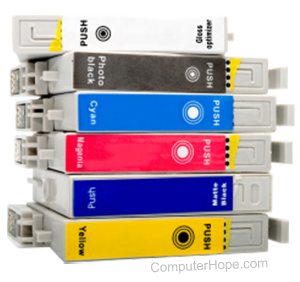
After installing new ink cartridges, the printer may not work or show errors for several reasons. Below are general suggestions to help determine the cause and, in some cases, solve the problem.
- Verify the plastic tab keeping the ink from dispersing or leaking out is not still attached to the cartridge.
- Verify the ink cartridge(s) is inserted properly. Some snap into place, and if they are not inserted fully, the printer won't print anything.
- If a lever is moved from its original position to allow for the installation of ink cartridges, ensure it is returned to that position.
- If you opened a printer panel or lifted a cover to access the ink cartridges, make sure to close either or both before trying to print.
- Perform a head cleaning on the printer if the option is available. Also, run a general printer cleaning cycle to clean other dirty and clogged areas.
- Some printers use metal pins in the ink cartridge holder to connect them to the printer. Check the metal pins to ensure they are not bent or otherwise damaged. If the pins are damaged, they must be repaired or replaced by an authorized printer repair center.
- Try resetting the ink cartridge counter. Consult your printer's documentation for instructions for your specific model, or check the manufacturer's website for help.
- Verify no software errors are occurring, and try printing a test page.
- If you're installing an ink cartridge not authorized by your printer's manufacturer (an aftermarket cartridge), it may not be compatible.
- If you've recently refilled the ink in a cartridge, it may be defective and need to be replaced.
- The new ink cartridge may be defective or damaged. For instance, it may have a bad printer header or a blocked ink nozzle. Return the cartridge and get a new one to see if the replacement works better.
- If any indicator lights are flashing or an error is displayed on the printer's LCD (liquid-crystal display) screen, refer to your printer's documentation or manufacturer's website for additional information.
If the recommendations above don't resolve the issue, there may be problems with the printer itself. For help with your specific printer brand and model, we suggest you contact your printer manufacturer. However, it should be noted that it's often cheaper to buy a new printer than repair most home and office printers.