
How to troubleshoot a new serial device
First, ensure that the COM port is not already being set up for another device such as a Modem. Check this by clicking Start, Settings, Control Panel, double-click Modems, click the Diagnostics tab. Under this tab, verify the modem is not taking up the port you want to use. If it's available, close this window and in Control Panel, double-click the System and Security icon, and click the Device Manager tab. In Device Manager, click the + next to Ports and verify the port you are installing the device to is listed below Ports (COM & LPT).
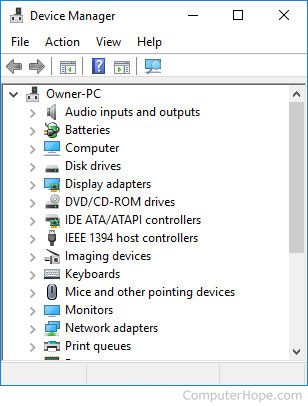
If the port is not listed, close this window, double-click Add new hardware, and install a New Port; once installed, reboot the computer. If, however, your port is listed, or once installed this did not resolve the issue, close all windows, and press Ctrl+Alt+Del. In the close program window, end task everything (one thing at a time), except Explorer and Systray. Then, test the device you are trying to install again.
If this resolves your issue, another application is attempting to utilize this port and you must determine what application that is. Once you determine the application, remove it from loading automatically. However, if this does not resolve the issue, reboot your computer to get all the ended tasks back.
If the suggestions above cannot resolve the issue, we recommend you contact the device manufacturer for additional support or hardware replacement.