
How to fix disk boot failure
A computer disk boot failure is an error indicating the boot device the computer uses cannot be read or doesn't have the files required to boot. Below are steps you can follow to help resolve or identify what's causing this error.
Non-bootable floppy diskette or disc or USB in the computer
Verify that there is no floppy diskette or disc in the computer. If the boot options are set improperly, the computer could be trying to boot from the disc drive instead of the hard drive.
Also, verify there is no disc in the computer and make sure that no USB jump drive, external hard drive, or memory stick is inside any memory card reader.
If you're trying to boot from a floppy, CD (compact disc), DVD (digital versatile disc), or USB (universal serial bus) drive and get a disk boot failure and verified the BIOS settings are correct, the boot device is bad.
Boot options are not set properly in CMOS
Verify that the boot options are properly configured in your BIOS setup.
Below is an example of how we recommend the boot options be set.
- Floppy drive
- CD-ROM (compact disc read-only memory) drive
- Hard Drive
- Other/Network
Remove added hardware and check connections
If you've recently installed any new hardware, it's suggested that it be removed to verify it's not causing this issue. If the computer works after removing the device and it was an IDE/EIDE device, verify the jumpers are set properly.
Also, if you've recently moved the computer or installed anything inside the computer that the connections for the drive be checked. Usually, it's best to disconnect the cables from the back of the drive and reconnect them to make sure they're connected properly. While inside also disconnect and reconnect the cable connected to the motherboard as well. While inside your computer, make sure you're aware of ESD (electrostatic discharge).
Bad hard drive
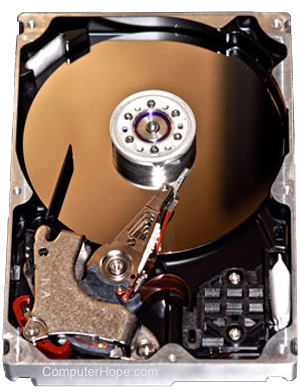
If you followed the above steps and you continue to experience the same issue, the hard drive is bad or the controller is bad.
If available, connect another known good hard drive to the computer to determine if it can be detected. If it's detected, then replace your hard drive. If it's not detected, replace the motherboard or controller as it's bad.
If no additional hard drive is available, we recommend the hard drive be replaced first or that the computer be serviced or repaired.