
How to find the size of a computer power supply
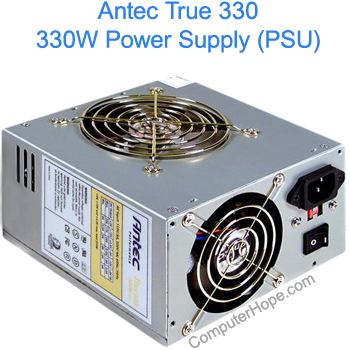
Unfortunately, your power supply does not interact with your motherboard in any way that would communicate its model information. Consequently, you can only determine the total output of a power supply by physically examining it. All power supplies, like the one shown to the right, have a sticker that gives all important specifications. For example, this power supply lists the total output as 330W (watts).
What if my power supply is already installed?
If you have a computer that is already assembled, you can determine how big the power supply is by opening the computer case and examining the unit.

As shown in the image above, this Chieftec power supply is rated at 500 Watts. Many power supply manufacturers also use the wattage of the power supply in the model number. For example, this power supply's model number is APS-500S, which indicates 500W of total output.
What if I can't see the power supply sticker?
All power supplies are required by UL (formerly known as Underwriters Laboratories) to include a sticker with power ratings on it. If you're unable to locate a sticker on your power supply, the identification may be on the side that is not visible. If this is the case, you must remove the power supply before being able to identify it. The steps in doing so are listed in the additional information links listed in the next section of this page.
After removing the power supply, if you are still unable to find a sticker with the power ratings, we recommend purchasing a new power supply. A power supply without a sticker on it is dangerous to use. It could be a very low quality unit and cause damage to your computer.