
How to remove a device in Windows Device Manager
Updated: 10/11/2021 by Computer Hope
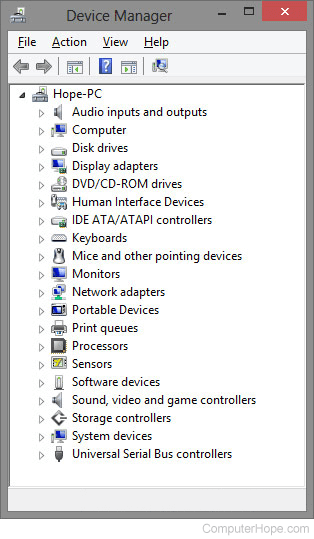
To remove a device in Windows Device Manager, follow the steps below.
- Open the Device Manager.
- In the Device Manager, click the '+' symbol or arrow next to the device type you want to remove. For example, if you're looking for the video card, click the '+' next to Display adapters to view each of the computers video cards.
- Highlight the device you want to remove and press Del on your keyboard. You can also click Action from the file menu or on the menu bar and select Uninstall.
Note
While in the Device Manager, verify there are no "Other Devices" or any devices with a yellow exclamation mark or red X. If any of these errors exist, you have other problems in Device Manager that should be fixed. See: How to Identify problems in the Windows Device Manager.
Tip
If you are uninstalling a device in Device Manager as a troubleshooting step, once the device is uninstalled, reboot the computer, and let Windows re-detect the device. If you don't want the device to be re-detected, instead of uninstalling it, disable it.