
What resolution should I set my monitor to?
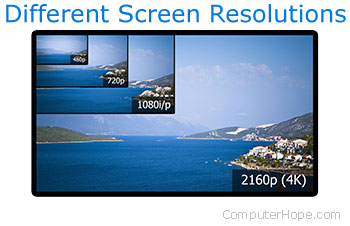
As with many hardware components, computer monitors come in various shapes and sizes. When you're trying to determine what resolution your monitor should be set to, there are a few things to consider.
The following sections explain these considerations. We recommend you read both the first and last sections before setting the resolution in your version of Windows.
What is the monitor's native resolution?
Native resolution refers to the maximum number of pixels your monitor can display. In fact, all liquid crystal displays LCD (liquid-crystal display) have a fixed number of pixels. The number of pixels does not change when a signal of different size is provided to the monitor's input. Instead, the LCD's hardware scales the image, adapting it to the native resolution of the screen. When an image is scaled, there is no longer one-to-one pixel mapping, so the image on the screen may appear blurry or unclear. Therefore, always configure your display to run at the native resolution of your LCD, whenever possible.
How to set your monitor to its native resolution in Windows 10
- Press the Windows key, type Display, then press Enter.
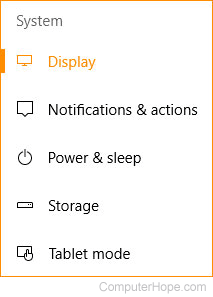
- In the Settings window under the Systems section, make sure that Display is highlighted.
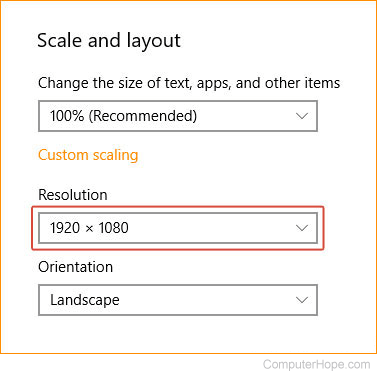
- In the Scale and layout section, click the down arrow on the right side of the Resolution box.
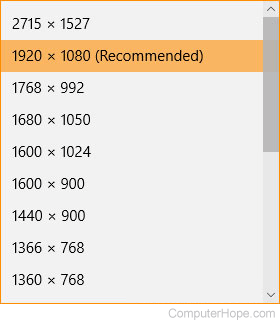
- In the drop-down menu, select the (Recommended) resolution; that's your monitor's native resolution.
How to set your monitor to its native resolution in Windows 7 and 8
- Press the Windows key, type Change the screen resolution, and press Enter.
- A window should appear similar to the one below.
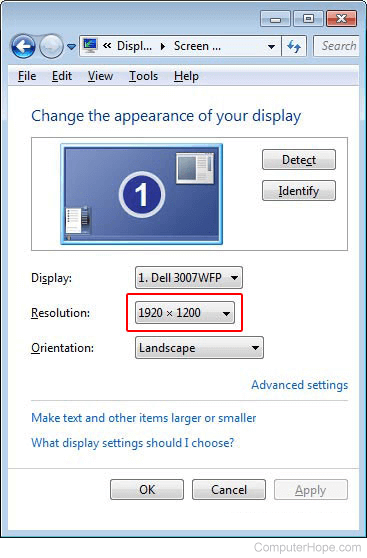
- Locate the Resolution section.
- Click the down arrow next to the box and select the resolution at the top of the drop-down menu.
Performance demand
Many of today's monitors have very high resolutions. If you are a computer gamer, these resolutions can be very demanding. For instance, if you have recently purchased a 4K display, but have an older video card, you may need to scale your monitor's resolution down to get decent frame rates. If you decide to do so, we recommend you choose a resolution with the same aspect ratio as your monitor's native resolution. Otherwise, you'll get black bars on the top and bottom or the left and right sides of the screen. Use the steps in the previous section and try out a few lower resolutions to see which one works best for you.