
Computer monitor help and support
Updated: 10/11/2021 by Computer Hope
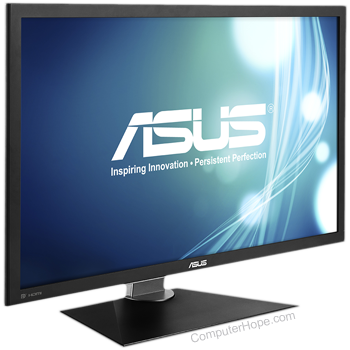
Monitor basics
- What is a monitor?
- What is a flat-panel display?
- What is an LCD?
- How to connect a monitor to a computer.
- Full list of video and video card terms.
- How do I find the monitor or display I'm using?
- Help with cleaning a monitor and other computer hardware.
- Contact information for monitor and display manufacturers.
- Computer monitor buying tips.
Top monitor questions and answers
- How to turn on a computer monitor or another display.
- No display or black screen on a computer monitor.
- How to connect an external display to my laptop.
- How to display a computer image on a TV or projector.
- How do I adjust my brightness or contrast on my laptop?
- How to fix "no input signal" error message.
- How to fix a distorted or skewed image on the monitor.
- Why are there dead or black pixels?
- How to rotate a computer monitor's display.
Video card questions and answers
Driver related questions
- What is a driver?
- How do I locate software or drivers for my computer?
- How to install and update a computer driver.
- Why can't I find my monitor in the Windows driver listing?
- Where can I get monitor drivers?
All other flat-panel and monitor questions
- How to fix a black border or bars on a computer monitor.
- Why does the monitor click, pop, or make other noises?
- Can I use my laptop display for my desktop?
- How to disable the serial number on an Intel Pentium III+.
- Why a computer monitor would have a tint of one color.
- How do you split the screen in Windows?
- How do I select a primary monitor?
- How to view or change the screen resolution of a monitor.
- How to protect your eyes when using a computer.
- How to convert HDMI to VGA or VGA to HDMI.
- What is the compatibility between Macintosh and PC monitors?
- One large monitor vs. two monitors.
- Are flat-panel LCD monitors good for gaming?
- How to fix Windows multiple display issues.
- How to fix a broken laptop LCD.
- My laptop computer screen is black.
- Why does my monitor shift when changing the resolution?
- How to have multiple monitors or displays on a computer.
- How to split one large display into two or more.
- Input signal out of range error.
- CRT vs. LCD.
- Curved monitor
- How to change a monitor refresh rate.
- How to convert DVI to VGA or VGA to DVI.
- How to convert DVI to HDMI or HDMI to DVI.
- Should I replace my monitor when buying a new computer?
- How do I degauss a computer CRT monitor?
- What resolution should I set my monitor to?
- Why does my computer monitor randomly turn off?
- Can my computer or monitor cause cancer?
- How to turn off a computer monitor.
- How to find out my monitor size.
- How do I adjust my monitor through the buttons on the front?
- High definition monitor has two small lines across it.