
Winipcfg command
About winipcfg
The winipcfg command allows a user to get network-related information such as the IP address, subnet mask, default gateway, DHCP server, WINS server, etc.
Availability
The winipcfg program is available in:
Windows 2000, Windows XP, and later versions of Windows do not use this command. If you are using a later version of Windows, use the ipconfig command instead.
Information
To run the program, click Start, Run, and type winipcfg in the run line to open the winipcfg window similar to the picture below.
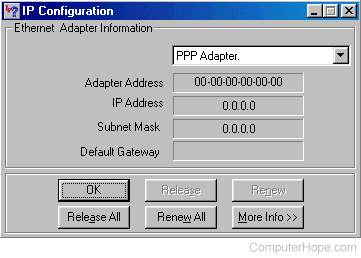
If more than one adapter is present in the computer, use the drop-down window to see the other adapters' information. In the information above, we are displaying the PPP adapter's information, which would be the dial-up Internet connection information. If you are connected to the Internet, a value other than 0.0.0.0 is shown for the IP address.
Clicking More Info displays all the available network-related information. Below is an example of what is displayed when clicking the More Info button and changing our adapter to the installed network adapter.
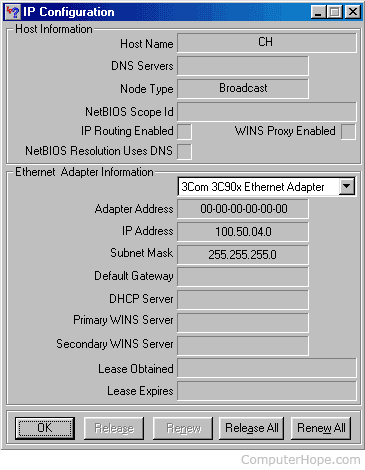
The picture above shows more valuable information about the network. In the example above, we are displaying the 3Com 3C90x Ethernet Adapter on our network adapter card. As seen, we can verify the IP address of the network card and any other pertinent information about the network adapter.