
How to reset a lost or forgotten Windows password
There are various options and utilities that make it possible to access a computer with a lost password. Below is a listing of popular options and utilities available to try.
Gaining access to an account or computer that's not yours without permission using any of the steps below is against the law.
Log into an alternate account
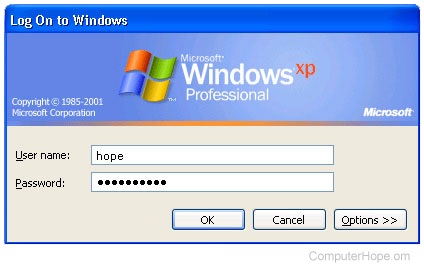
Many users often leave the administrator account alone or have other accounts with administrator rights. If you are not logging into the computer using the administrator account or have other accounts to utilize, follow the steps below to reset your other account's password.
- Reboot the computer to Safe Mode.
- When logging in to Safe Mode and prompted to choose an account, select the Administrator account. If prompted for a password, try pressing Enter on the keyboard for no password. If this does not work, try other passwords you may have used. If logging into the Administrator account is not possible, skip to the next suggestion.
- After logging into the Administrator account, open the Control Panel and click User Accounts.
- In User Accounts, select the account you want to change, click Change Password, and then enter the new password, or click remove password to remove the password from the account.
Windows users and creating a password reset disk
Utilizing this option requires you to complete part of the process before having forgotten your password.
If you have Windows XP, use the "Prevent a forgotten password" option to create a password reset diskette. Use the diskette created to recover the forgotten password.
To create a password reset disk in Windows Vista, 7, or 8, open the Control Panel, and click User Accounts, then Create a password reset disk.
If you have Windows 10, type Password Reset in the search box, then select the Create a password reset disk option in the search results. Follow the on-screen steps to create the password reset disk.
You need to connect a USB (universal serial bus) flash drive to your computer before accessing the "Create a password reset disk" utility in Windows Vista and later versions. If you don't, you may get an error stating the utility could not find a USB drive attached.
Offline NT Password & Registry Editor
The Offline NT Password & Registry Editor is a great utility that enables users to overwrite their Windows SAM file, the file containing their passwords, with a new password. Unfortunately, the previous password is not visible, but unencrypted files are accessible again.
Emergency Boot Kit
The EmBootKit (Emergency Boot Kit) has many useful features. One of its most important features is changing a user's password without needing to know the previous password, including the administrator password.
Other utilities
There are many free and commercial utilities available for bypassing or changing an unknown password in Microsoft Windows. The above two utilities are popular solutions and are highly recommended. If these utilities do not suit your needs, you may also want to perform a quick search on your favorite search engine.
Data recovery
After trying the suggestions above, if the necessary files are not accessible, some data recovery companies can access your data.
Format and reinstall Windows on the computer
If, after trying all these steps, your computer is still not accessible, we recommend erasing everything on the computer and reinstall Windows.