
How to install MS-DOS
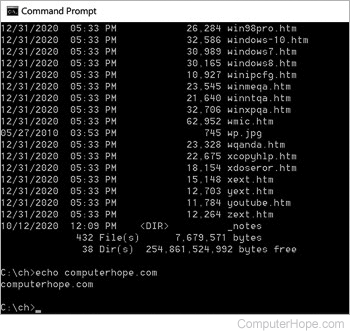
Before getting into the steps of installing MS-DOS, it's important to realize today that nearly all users don't need MS-DOS on their computers. Computers that have any version of Microsoft Windows installed on them can run the Windows command line shell (shown right). This shell can perform almost all of the same tasks earlier versions of MS-DOS could and run many MS-DOS programs.
Installing MS-DOS 6.22
Although there are earlier versions of MS-DOS, we suggest installing version 6.22.
Finally, realize that MS-DOS is an operating system. If your computer already has an operating system (e.g., Windows XP), performing the steps below erases it and any other programs currently installed on the computer.
- Insert the first MS-DOS installation diskette into the computer and reboot or turn on the computer. If you do not have the MS-DOS diskettes, you cannot install MS-DOS.
- If the MS-DOS setup screen appears when the computer starts press F3 two or more times to exit from the setup.
- Once at the A:\> MS-DOS prompt type fdisk and press Enter.
- In the fdisk screen, delete any current partitions existing on the computer and then recreate the partitions. For additional information about fdisk, including a simulation of how fdisk operates, see our fdisk command guide.
- Once a new partition is created, exit out of fdisk and get back to the A:\> prompt.
- At the prompt type format and press Enter.
- Once the hard drive is formatted, reboot the computer with the diskette still in the drive. Once back at the setup screen, run through the setup of MS-DOS on the computer.
Following the above steps will install MS-DOS in the computer. If successful, the computer should be able to get to an MS-DOS prompt with no diskettes in the computer.