
How to get to an MS-DOS prompt or Windows command line
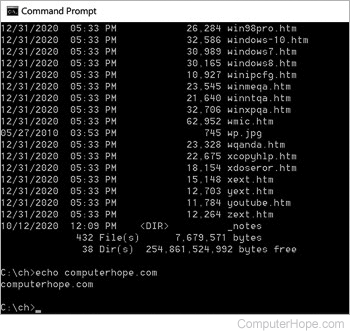
Below are steps on getting to an MS-DOS prompt or Windows command line in all versions of Microsoft operating systems.
Get to Command Prompt in Windows 10 and 11
For some commands and options to work in the Windows 10 and Windows 11 command line, you must run the command line with administrative privileges. To do this, right-click the cmd icon and select Run as administrator.
Get to Command Prompt in Windows 8
- Get to the Start screen
- Type cmd and press Enter.
- OR -
- Move the mouse pointer to the very bottom-left corner of the screen and right-click, or press Windows key+X.
- In the power user task menu, select either Command Prompt or Command Prompt (Admin).
Get to Command Prompt in Windows Vista and 7
For some commands and options to work in the Windows Vista and 7 command line, you must run the command line as administrator. To do this, right-click the cmd icon and select Run as administrator.
If you're attempting to get into an MS-DOS prompt to troubleshoot the computer, boot the computer into Safe Mode.
Get to Command Prompt in Windows NT, 2000, and XP
If you are attempting to get into an MS-DOS prompt to troubleshoot the computer, boot the computer into Safe Mode.
Windows 2000 and XP users who cannot boot the computer into Normal Windows mode or Safe Mode can also enter and use the Recovery Console to manage their computer from a prompt. See: How to use the Windows Recovery Console.
Finally, if you are experiencing issues getting into Windows NT, 2000, or XP, it may be necessary to run troubleshooting steps from an MS-DOS prompt. We recommend the Network Administrator gain access either using a standard MS-DOS boot diskette or the ERD diskettes created after the installation of Windows NT. Also, they may access MS-DOS by booting from a Windows XP CD.
Get to Command Prompt in Windows 95, 98, and Me
If you can get into Windows 95, 98, or Me, you can get to an MS-DOS prompt by following the steps below.
Following the steps above opens an MS-DOS shell. However, if you are attempting to troubleshoot an issue with the computer and are using Microsoft Windows 95 or Windows 98, we suggest you restart the computer into MS-DOS. To do this, follow the steps below.
How to restart the computer into an MS-DOS prompt
- Click Start.
- Click Shutdown.
- Choose the option to restart the computer to an MS-DOS prompt.
If you cannot get into Windows 95 or Windows 98 to get to an MS-DOS prompt, follow the instructions below (Windows Me does not have this option).
- Reboot the computer
- As the computer is booting, press the F8 key when you hear a beep or when you see "Starting Windows 95" or "Starting Windows 98." Windows 98 users sometimes may find it easier to press and hold the left Ctrl key as the computer is booting.
- If done properly, the user should get to a screen similar to the below screen.
Microsoft Windows 95 Startup Menu
=============================
1. Normal
2. Logged (\BOOTLOG.TXT)
3. Safe Mode
4. Step-by-step confirmation
5. Command prompt only
6. Safe mode command prompt only
Enter a choice: 1
F5=Safe Mode Shift+F5=Command prompt Shift+F8= Step-by-step confirmation [N]
- Select the option for Safe mode command prompt only.
Getting to MS-DOS
If you are running MS-DOS with no other operating systems, the computer should be booting into an MS-DOS prompt automatically, unless you have a shell or other program loading automatically.
If the computer cannot load MS-DOS, reboot the computer and as the computer is booting, press the F5 key when you see the message "Starting MS-DOS" or the MS-DOS version. Pressing this key should load the default settings for MS-DOS.
If this opens an MS-DOS prompt and you want to prevent further occurrences, edit the autoexec.bat or the config.sys files and remark any bad lines.
Get to MS-DOS in Windows 3.x
If you are running Windows 3.x, it is likely that the computer is booting into Windows automatically and bypassing the MS-DOS prompt. If the computer loads successfully into Windows, to exit to an MS-DOS prompt, from the Program Manager, click the file menu and select Exit.
If the computer cannot load MS-DOS, reboot the computer and as the computer is booting, press the F5 key when you see the message "Starting MS-DOS" or the MS-DOS version. Pressing this key should load the default settings for MS-DOS.
If you do not want Windows 3.x to load automatically into Windows 3.x, edit the autoexec.bat file and remove the "win" line.
Other operating system
If you want a command line, you more than likely want to access the Shell or Terminal for your operating system, not MS-DOS.
If you are using another operating system (e.g., OS/2 or Linux variant) and you must get to an MS-DOS prompt, use an MS-DOS boot diskette, unless you are dual booting the computer. Realize that booting from an MS-DOS diskette won't allow you to access the files used with other operating systems. However, if you're erasing everything and starting over, this would allow you to delete all pre-existing information and start over.