
CD or other disc tray does not close or opens by itself
CD-ROM or other disc tray does not close
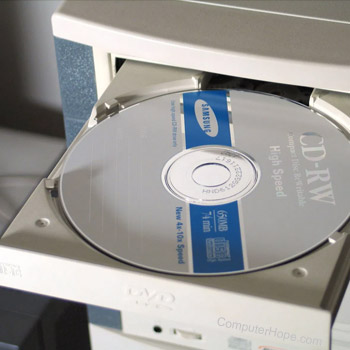
A CD-ROM (compact disc read-only memory) or other disc drive tray that does not close or remain in the drive is often an indication of a hardware failure. However, the steps below can still be attempted before replacing the drive.
Stuck disc or object in drive
If a disc isn't seated correctly, or a foreign object was put in the drive by a child, it can cause the drive tray to remain out. Shine a flashlight in the drive to determine if a disc or other object is stuck in the drive. If a disc is stuck in the drive try using a pair of needle nose pliers and remove the disc. If you're concerned about damaging the disc (if not already damaged), you may want to consider removing the drive and disassembling it. Realize that disc drives are not meant to be open, and disassembling the drive will void the warranty and in some cases can damage the drive.
Remove the disc
If there's a disc in the tray, remove it to make sure it's not causing your problem.
Disc drive button broke
The drive button can break. If you are using the button to put the tray back in the drive try pushing the tray towards the drive instead. All disc drives support the ability to gently press the tray to put it back into the drive.
Push the button instead of pushing the tray
If you're pushing the tray try pushing the button instead.
Bad drive gears
If the above recommendations don't work and the drive tray doesn't push in or goes in slowly, the drive gears may be malfunctioning. If this is the case, we suggest you replace the drive.
CD-ROM or other disc tray opens by itself
Below is a short listing of possible causes that cause a disc drive tray to open by itself. If you're encountering this issue, try the below recommendations.
Software issue
It's possible for a program to open and close your disc drive tray. Programs that are using the drive, such as a software CD (compact disc) player or disc burner, can cause your disc tray to open automatically. Don't be alarmed if the tray pops open automatically when your CD-R (compact disc recordable) is finished burning. The tray opening by itself is a normal function of the program.
However, if the tray is randomly opening by itself, another program installed on the computer is causing the problem. To determine if this is the cause, if you're running Microsoft Windows boot the computer into Safe Mode.
Let the computer sit in Safe Mode, if the tray ejects while in Safe Mode you're encountering one of the other below situations. However, if the tray is not ejecting in Safe Mode it's likely a program running on your computer is causing your problem. First, make sure you have an antivirus protection program on your computer and that you've scanned your computer for any viruses. If no viruses are detected, but your computer continues to eject the tray, there may be a service or background program causing the issue. We suggest selectively disabling non-essential services to help determine what background software is causing your issue.
Bad disc or object in the drive
If a disc isn't seated correctly, or a foreign object was put in the drive by a child, it can cause the drive tray to randomly eject. Shine a flashlight in the drive to determine if a disc or other object is stuck in the drive. If a disc is stuck in the drive try using a pair of needle nose pliers and remove the disc. If you're concerned about damaging the disc (if not already damaged), you may want to consider removing the drive and disassembling the drive. Realize that disc drives are highly sensitive to dust and particulates in the air, and should only be opened in a cleanroom. Disassembling the drive will void the warranty, and introduce particles to the clean environment inside the drive case, which may progressively destroy the spinning platters over time.
Other hardware malfunction
Finally, if you've tried all of the above recommendations and the tray continues to randomly eject we suggest replacing the drive. It's likely that a component in the drive is bad or failing.