
GUI
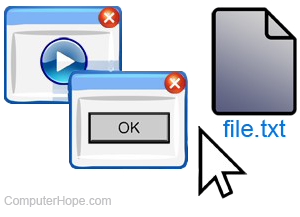
A GUI (graphical user interface) is a system of interactive visual components for computer software. A GUI displays objects that convey information and represent actions that the user can take. The objects change color, size, or visibility when the user interacts with them.
The GUI was created at Xerox PARC (Palo Alto Research Center) by Alan Kay, Douglas Engelbart, and other researchers in 1981. Later, Apple introduced the Lisa computer with a GUI on January 19, 1983.
How do you pronounce GUI?
GUI is often pronounced by saying each letter (G-U-I or gee-you-eye). It is sometimes also pronounced as "gooey."
GUI overview
A GUI includes GUI objects, like icons, cursors, and buttons. These graphical elements are sometimes enhanced with sounds or visual effects like transparency and drop shadows. Using these objects, a user can use the computer without knowing commands.
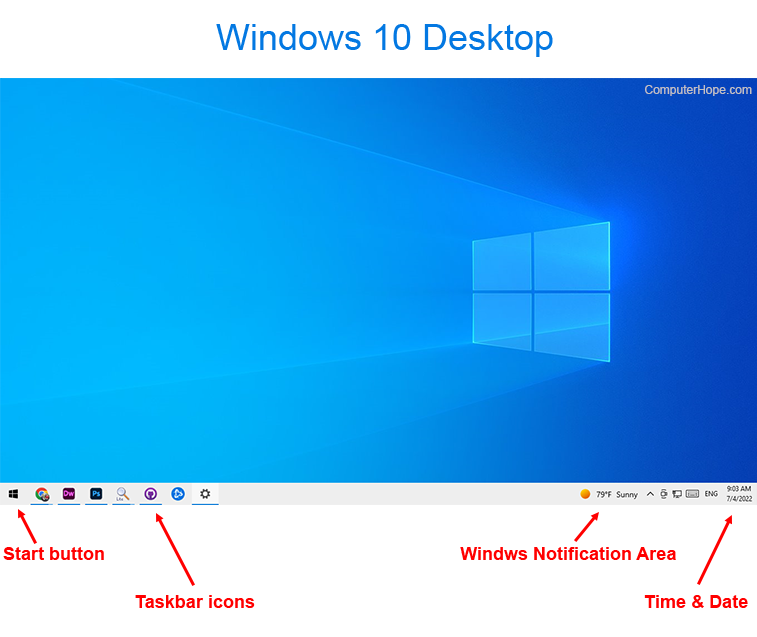
Below is a picture of the Windows 7 desktop and an example of a GUI operating system. In this example, you could use a mouse to move a pointer and click a program icon to start a program.
For an example of a command line for comparison, see our command line page.
What are the elements of a GUI?
To make a GUI as user-friendly as possible, there are different elements and objects that the user uses to interact with the software. Below are these elements with a brief description.
Icons and other GUI elements are designed using skeuomorphism, which means they are designed to resemble real-life objects.
- Button - A graphical representation of a button that acts as a program when pressed
- Dialog box - A type of window that displays additional information and asks a user for input.
- Hamburger menu - A button with three lines that expands and shows a hidden menu when pressed.
- Icon - Small graphical representation of a program, feature, or file.
- Kebab menu - A button with three dots that expands and shows a hidden menu when pressed.
- Menu - List choices offered to the user through the menu bar.
- Menu bar - Thin, horizontal bar containing the labels of menus.
- Ribbon - Replacement for the file menu and toolbar that groups program activities together.
- Tab - Clickable area at the top of a window that shows another page or area.
- Toolbar - A row of buttons, often near the top of an application window, that controls software functions.
- Window - Rectangular section of the computer's display that shows the program currently being used.
How does a GUI work?
A GUI uses windows, icons, and menus to perform tasks like opening, deleting, and moving files. Although a GUI operating system is primarily navigated using a mouse, a keyboard can also be used via keyboard shortcuts or arrow keys.
For example, to open a program on a GUI system, move the mouse pointer to the program's icon and double-click it. With a command line interface, you must know the commands to navigate to the directory containing the program, list the files, and then run the file.
What are the benefits of GUI?
A GUI is considered to be more user-friendly than a text-based command-line interface, such as MS-DOS or the shell of Unix-like operating systems.
Unlike a command-line operating system or CUI (command-line user interface), like Unix or MS-DOS, GUI operating systems are easier to learn and use because commands do not need to be memorized. Additionally, users do not need to know any programming languages. Because of their ease of use and more modern appearance, GUI operating systems are the primary ones used today.
What are examples of a GUI operating system?
Today, most operating systems are GUI operating systems that may have a command line as part of that interface. Below are examples of GUI operating systems that can be installed on a computer.
Are all operating systems GUI?
No. Early command line operating systems like MS-DOS and some versions of Linux today have no GUI interface.
Why would someone not use a GUI?
Below are a few reasons someone might choose to use an operating system or program that is not a GUI.
- It takes more system resources to run a GUI. However, the command line requires little resources, allowing it to work with almost any computer.
- It can be easier to do some tasks remotely using only the command line.
- Automation and scripting is a lot easier to do using commands instead of the GUI tasks. For example, copying a file can be done with a single command, but copying a file in a GUI requires several steps.
What are examples of a GUI interface?
It's not only the operating system that's considered a GUI interface; below are examples of all types of GUI interfaces, including programs.
- Apple macOS
- Microsoft Windows
- GNOME
- KDE (K Desktop Environment)
- Any Microsoft program, including Word, Excel, and Outlook.
- Internet browsers, such as Chrome and Firefox.
How does the user interact with a GUI?
A pointing device, such as the mouse, interacts with nearly all aspects of the GUI. More modern (and mobile) devices also utilize a touch screen.
Does a GUI require a mouse?
No. Nearly all GUI interfaces, including Microsoft Windows, have options for navigating the interface with a keyboard if you know the keyboard shortcuts.
Aero, Computer acronyms, Front end, Interface, Microsoft Windows, MS-DOS, Operating system, Operating system terms, User experience, User interface, WIMP