
How to fix a distorted or skewed image on the monitor
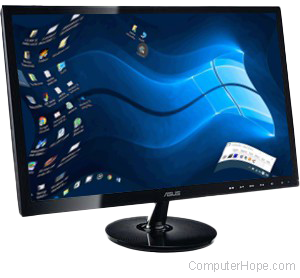
A monitor or display with a distorted or flickering image can be caused by many different things. Below are steps to follow for determining if the problem can be fixed or if your monitor is bad.
If your monitor screen is black, see: No display or black screen on a computer monitor.
Windows issue
Restart your computer. If the display on the monitor looks fine until the computer starts to load Windows, you are encountering a video resolution or driver issue. Make sure your video drivers are up-to-date and that the video resolution is not set too high for the graphics card.
Loose or defective cable
You may receive a distorted image when the video cable is loose or defective. Disconnect the video cable (usually a DVI (digital visual interface), VGA (video graphics adapter), HDMI (High-Definition Multimedia Interface) cable) going from the back of the computer to the monitor, and verify that no pins are bent, burnt or broken. Once verified, re-connect the monitor cable.
Interference
A distorted image can be caused by EMI (electromagnetic interference). Verify no speakers, fans, or other magnetic devices are close to the monitor.
Refresh rate issue
If you have an older CRT (cathode ray tube) monitor and the refresh rate is not set properly, the display on the monitor may appear wavy. An improper refresh rate may also cause a flickering effect on a CRT, LCD (liquid-crystal display), or LED (light-emitting diode) monitor. To reduce or eliminate the flicker on the screen, adjust the refresh rate.
Bad monitor
If you checked the suggestions above and the issue continues to occur, the monitor is likely defective. To verify if it's the monitor, connect the monitor to another computer. If the monitor has the same distortion on another computer, you have a bad monitor. If your monitor works fine on another computer, there may be a problem with the video card in the computer.
Connecting your possibly defective monitor to another computer in no way harms the other computer.