
How to prevent unauthorized computer access
Most users are interested in taking steps to prevent others from accessing their computer. Whether it be to protect yourself from malware or ensure your private information is safe, having a secure computer can provide peace of mind. The following sections detail many ways you can secure your computer against others. To proceed, you may read through each section or choose one that interests you from the below list.
Passwords
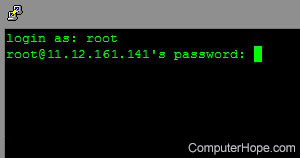
Make sure a password is set for your computer's operating system. The best way to keep someone out of your accounts and personal information is to not let them on your machine in the first place. You can always create additional accounts for guests. For additional information, see the following linked pages.
- How to change a username or password.
- How to create a new user in Windows.
- Help and information on computer passwords.
Helpful password tips
- Never keep a default password. Passwords such as "password," "root," "admin," or no password at all allow easy access to your computer or Internet accounts.
- Change passwords often. We recommend at least once every few months.
- Create a BIOS (basic input/output system) password.
- When creating a password, add numbers or other characters to the password to make it more difficult to guess; for example, 1mypassword23!.
- Do not use sticky notes around your computer to write down passwords. Instead, use a password manager.
Get a hardware or software firewall
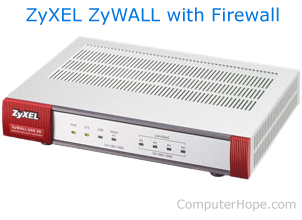
We highly recommend all computer users have a firewall solution. There are two ways a firewall can protect your computer and network.
- Hardware firewall - A hardware firewall is a physical device that connects to your network. Often, many users who have a home network can use their network router as a firewall solution. A good example of a network security device with a firewall and other security options is the ZyXEL ZyWALL (shown right).
- Software firewall - A software firewall is a program you install on your computer to helps protect it from unauthorized incoming and outgoing data. A software firewall will protect only the computer on which it was installed. Additionally, many antivirus scanners include a software firewall. See the antivirus section on this page for more information.
Microsoft Windows firewall
If you are running any version of Microsoft Windows after XP, there is a firewall built into your operating system.
Other firewall programs
If you are not using the Windows firewall, a hardware firewall, or a firewall that is part of your security software, you can also purchase a standalone firewall program.
Operating system and software patches and updates
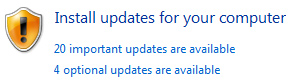
There is no such thing as perfect software. Programs often have compatibility issues or vulnerabilities that compromise your computer's security. Software patches, updates, and drivers are made available, often for free, to consumers to help keep a program and operating systems running properly and securely.
A program with no method of checking for updates requires you to verify the program is up-to-date. Often this can be done by visiting the website of the developer who created the program. A listing of third-party companies and links to each of their pages is on our third-party support page.
Malware protection
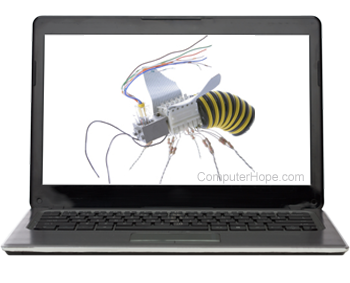
Trojans, viruses, spyware, and other malware can monitor your computer and log keystrokes to capture sensitive data, such as passwords and credit card information.
To help protect your computer from these threats, we suggest installing antivirus and anti-spyware protection programs.
- What are the currently available antivirus programs?
- How to prevent or fix a web browser being hijacked.
Run system scans to check for vulnerabilities
Several online sites help check computers for potential threats. For example, the service below scans your computer for vulnerabilities.
Gibson Research Corporation - The Gibson Research Corporation, or GRC, is operated by Steve Gibson. It offers information and advice about network security and several tools to help test for vulnerabilities in your computer or network.
Know how to handle e-mail
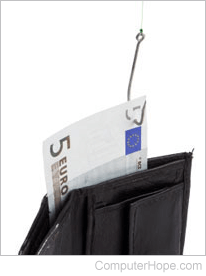
Today, e-mail is a popular feature on the Internet. Being able to identify threats sent through e-mail helps keep your computer and your information safe. Below are some common threats you may encounter while using e-mail.
- Attachments - Never open or run e-mail attachments from addresses with which you are not familiar. Viruses, spyware, and other malware are commonly distributed through e-mails that have attachments. For example, an e-mail may want you to open an attachment of claiming to be a funny video when it's a virus.
- Phishing - A phish e-mail appears to be from an official company (e.g., your bank), asking you to log onto the site to check your account settings. However, the web page links in the phishing e-mail are sites set up to steal passwords, credit card information, social security information, and other confidential information. See the phishing definition for additional information about this term and examples of these e-mails.
Alternative browser
Before the release of Microsoft Windows XP SP2 and Internet Explorer 7.0, Microsoft Internet Explorer was notorious for security and spyware related issues. Although it has improved since then, we still highly recommend considering an alternative browser, such as Mozilla Firefox or Google Chrome.