
How to enable or disable autocomplete in a web browser
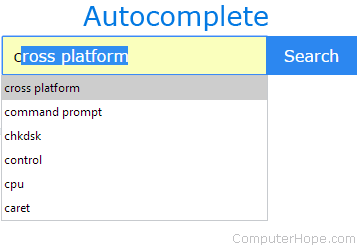
Autocomplete is a default feature of most modern web browsers. It anticipates what you are typing and suggests a word or phrase based on the activity of other users and your history. If you press Enter, the application automatically completes your typing with the remainder of the suggested text. For example, if you type goog in your browser's address bar, the browser may suggest google.com by displaying the letters you haven't typed yet. If you press Enter, the browser goes to that website.
To enable or disable autocomplete in your browser, select your browser from the list below and follow the instructions.
By hitting Enter on an autocomplete suggestion in the address bar, your browser takes you directly to the website. If you are skeptical about a URL (Uniform Resource Locator), use the search bar instead, which offers a preview of the website through your search engine.
This page only shows you how to toggle the autocomplete feature on and off. For steps on deleting autocomplete history in the address bar, see: How to clear the address bar history. and How to delete autocomplete history.
Google Chrome

In Google Chrome, you can no longer turn off the autocomplete feature for the address bar and search boxes.
Mozilla Firefox

To enable or disable autocomplete in Firefox, follow these steps.
- Open the Mozilla Firefox browser.
- Click the menu icon
 in the upper-right corner of the browser window.
 - Select Settings from the drop-down menu.
- In the window, click the Privacy & Security option in the left navigation pane.
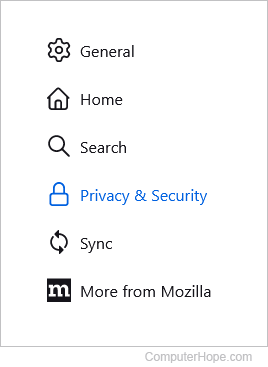
- Scroll down to the Address bar section, uncheck all the boxes, and click Change preferences for search engine suggestions.

- On the next screen, under Search Suggestions, uncheck the box next to Provide search suggestions.

- From now on, Firefox no longer stores or offers new autocomplete suggestions. To re-enable autocomplete, recheck the appropriate boxes.
Microsoft Edge

Follow these steps to turn off typing suggestions in the address bar of Microsoft Edge.
- Open the Microsoft Edge browser.
- Click the Settings and more icon
 in the upper-right corner of the browser window.
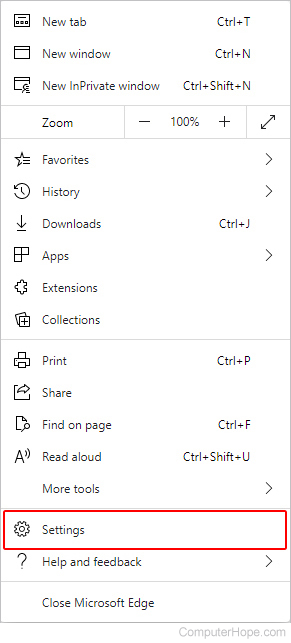
 - In the drop-down menu, near the bottom, select Settings.
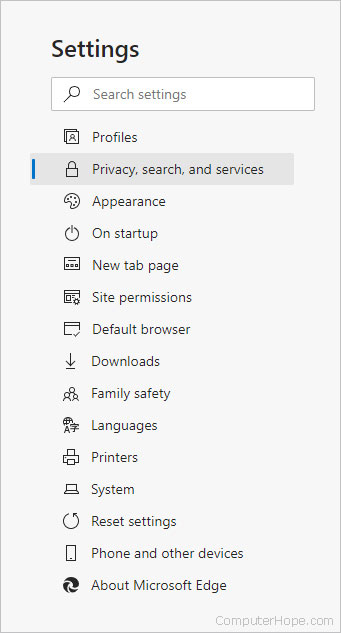
- Under the Settings section on the left, click Privacy, search, and services.
- At the bottom of the middle section, under Services, click Address bar and search.

- Click the toggle switches next to Show me search and site suggestions using my typed characters and Show me suggestions from history, favorites and other data on this device using my typed characters so they're in the off
 position.
 - From now on, Edge no longer stores or offers new autocomplete suggestions. To re-enable autocomplete, toggle the switches to the on position.
Microsoft Edge Legacy

The following section shows you how to toggle site suggestions in Microsoft Edge Legacy.
- Open the Microsoft Edge Legacy browser.
- Click More (three horizontal dots) in the upper-right corner of the window.
- In the drop-down menu, near the bottom, select Settings.
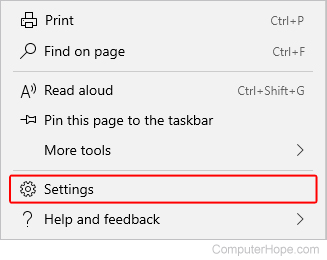
- In the Settings menu, on the left, click Privacy & security.
- On the right, scroll down to Privacy.
- Toggle the switch under Show search and site suggestions as I type to off
 to disable these autocomplete suggestions, or on
  to enable them.

Internet Explorer

To enable or disable autocomplete in Internet Explorer, follow these steps.
- Open the Internet Explorer browser.
- Click Tools
 icon in the upper-right corner of the window.
 - Select Internet Options from the drop-down menu.
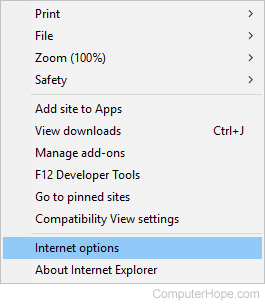
- Under the Content tab, in the Autocomplete section, click the Settings button.
- Uncheck the box next to the Address bar option, and click OK.

- These settings take effect when you restart the browser.
Safari

The following section shows you how toggle autocomplete suggestions on and off in Safari.
- Open the Safari browser.
- Select
 from the menu bar in the top-left corner of the screen.
 - Select Settings... from the drop-down menu.
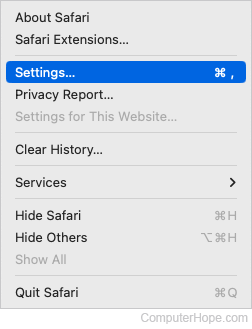
- At the top of the window, click the Search tab, and then uncheck the box next to Include search engine suggestions.

- From now on, Safari no longer stores or offers new autocomplete suggestions. To re-enable autocomplete, click the checkbox in step 4 so that it has a blue checkmark in it.
Opera

To enable or disable autocomplete in Opera, follow these steps.
- Open the Opera browser.
- Click the
 button in the upper-left corner of the screen.
 - Scroll to the bottom of the drop-down menu, and click Settings.
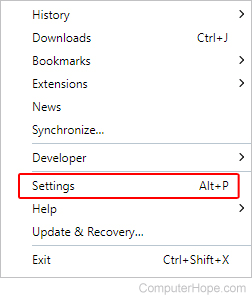
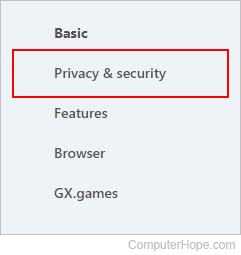
- On the left side of the tab that appears, click Privacy & security.
- Under the Privacy & Security section, toggle the switch next to Use a prediction service to help complete searches and URLs typed in the address bar so that it is set to the off position.

- From now on, Opera no longer stores or offers new autocomplete suggestions. To re-enable autocomplete, toggle the switch to the on
 position.