
My computer does not start unless I restart it multiple times
Software issues
There is a feature in the newer versions of Windows called fast startup or hybrid sleep that sometimes causes this issue. Disabling this feature may solve your problem.
Computer is not passing POST
If your computer is not beeping or beeping irregularly when it's not starting, see the POST troubleshooting steps.
A computer may not be passing POST (power-on self-test) because of any of the following reasons. However, the beep code may help isolate what hardware is causing the problem.
Bad power supply or inadequate power supply
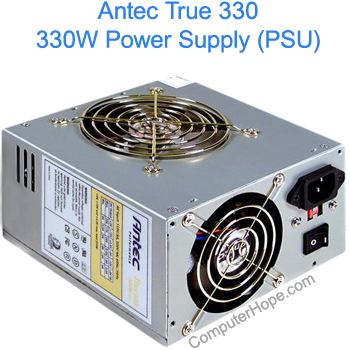
A bad, failing, or inadequate power supply often causes this issue. If the hard drive is not getting enough power during the first time the computer starts, it cannot spin the hard drive platters fast enough to start the computer. However, if you restart the computer a few times, because the platters are already spinning, it can sometimes boot.
Newer SSD (solid-state drives) don't have platters.
If you are encountering this issue after installing new hardware on a computer, it is also possible that the power supply is no longer adequate. For most computers, we recommend you have at the least a 300 to 350-watt power supply. If you have installed a new or additional video card, a bigger power supply may be needed. Video card power requirements can be located by performing an online search or visiting the manufacturer's website.
If you have a laptop computer, and aren't currently using a power cord, plug it in to make sure it is not a lack of battery power. If the computer powers up fine when plugged in, replace the main battery.
Our first recommendation is to replace or upgrade the power supply in the computer.
Bad hard drive
This issue may also be a failing or bad hard drive. You may encounter this error if a hardware failure is causing the platters not to spin fast enough during power up.
If, after replacing the power supply you continue to experience the same issue, it is likely that the hard drive faulty and should be replaced.
Other hardware issues
Although not as likely, other hardware can cause this issue to occur. Below are some additional hardware pieces that fail and cause your computer to repeatedly restart.
Cable
Replace the IDE/EIDE interface cable connected from the motherboard to the hard drive. If the cable is defective, it could cause various issues with your hard drive.
Motherboard
Finally, if the computer continues to exhibit the same behavior after following all of the previous steps, you may need to replace the motherboard.