
How to determine the IP address of a website
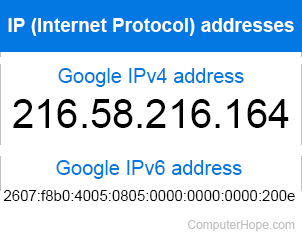
You can determine the IP address of a website using the ping command from a command line. Below are the steps to use the ping command and others to get an IP address.
Using ping in MS-DOS or Windows command line
Below are the steps on using the Windows command line to determine the IP address of a website.
- Open the Command Prompt.
- Run the following command at the command prompt, replacing "google.com" with the domain name of the website you're trying to find the IP address.
ping google.com
- Review the output (similar to the below output) to see the domain name, IP address, and the responses from the server if accepted.
Pinging google.com [216.58.216.164] with 32 bytes of data:

Reply from 216.58.216.164: bytes=32 time=30ms TTL=53
Reply from 216.58.216.164: bytes=32 time=30ms TTL=53
Request timed out.
Reply from 216.58.216.164: bytes=32 time=31ms TTL=53

Ping statistics for 216.58.216.164:
Packets: Sent = 4, Received = 3, Lost = 1 (25% loss),
Approximate round trip times in milli-seconds:
Minimum = 30ms, Maximum = 31ms, Average = 30ms
Using the ping in the Linux command line
- Open the Linux command shell.
- Run the following command at the command prompt, replacing "google.com" with the domain name of the website you're trying to find the IP address.
ping google.com
- Review the output (similar to the below output) to see the domain name, IP address, and the responses from the server if accepted.
PING google.com (216.58.216.164) 56(84) bytes of data.
64 bytes from www.google.com (216.58.216.164): icmp_seq=1 ttl=63 time=0.267 ms

--- google.com ping statistics ---
1 packets transmitted, 1 received, 0% packet loss, time 0ms
rtt min/avg/max/mdev = 0.267/0.267/0.267/0.000 ms
Why is the IP address long or not only numbers?
If you see an address containing letters, numbers, and commas (e.g., 2607:f8b0:4005:805::200e) the website uses an IPv6 address and not an IPv4 address.
Using nslookup to look up an IP address
The nslookup command is used to query your nameserver for the IP address of a hostname. The command is available from the Windows command line, or a linux or macOS terminal. Example:
nslookup wikipedia.org
Server: [name.server]
Address:  [nameserver.address]

Non-authoritative answer:
Name:    wikipedia.org
Addresses:  2620:0:860:ed1a::1
          208.80.153.224
For more information, see the command documentation:
Using online services
Online services exist that help you determine the IP address of a website. Such services are particularly helpful if ICMP (Internet Control Message Protocol) requests (pings) are being filtered somewhere between you and the site.