
Why does my laptop not turn on?
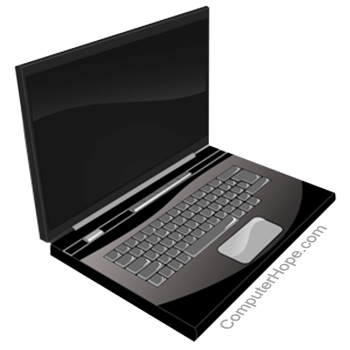
Many of us take for granted that our computers start up without a problem when we press the power button. However, if your laptop does not turn on, or gets stuck during the boot process, it can be quite frustrating. Thankfully, there are a few troubleshooting steps to resolve these issues.
Below are troubleshooting steps to help identify what may prevent your laptop from starting. We recommend going through each section for the best results.
These steps are specific to laptop computers. For desktop computers, see: Why won't my computer turn on?
Before proceeding, disconnect all peripheral devices, such as a mouse or a USB (universal serial bus) thumb drive.
Connect the power cable
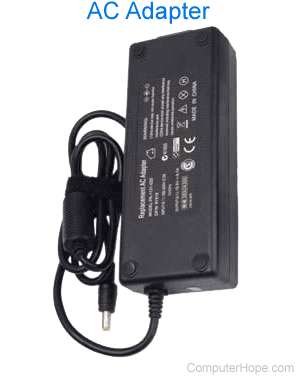
Although it may seem obvious, if your laptop is running on battery power only, connecting the AC adapter may solve the problem. Ensure the adapter cord is securely and correctly connected to the laptop and the wall outlet. If the laptop works with the adapter plugged in, your battery is dead or defective.
Check the AC adapter and power port for a bent pin
Some AC adapters have a pin at the end of the adapter that plugs into the laptop. Examine the adapter's connector to see if there is a bent or broken pin. If there is, the laptop is not receiving any power from the AC adapter. To fix this problem, the AC adapter needs to be replaced.
Some laptops have a pin inside the power port that helps make a stable connection to the AC adapter. If the pin is bent or broken, the laptop will not receive any power. To fix the problem, the power port on the laptop needs to be repaired or switched out. However, depending on the type of laptop, this solution may demand a full motherboard replacement.
Screen issues
Sometimes, your laptop may appear to be turned off when it is indeed powered up. A good indicator the laptop is on, although it appears to be off, is if you see a power light on its chassis. If you see a power light, there are a few things to check. If you don't see a power light, skip to the next section.
First, ensure the laptop is not connected to an external monitor. In some situations, when connected to a monitor, the laptop's primary display is turned off. Second, make sure the brightness on your laptop is turned up. If sufficiently low, your laptop may appear turned off because the screen is very dark.
Finally, the laptop display itself might not be working properly. To rule out a faulty screen, connect an external monitor and see if your desktop appears.
Disconnect from the docking station
If your laptop uses a docking station, disconnect it and plug the power cord directly into the laptop. If the computer turns on using this method, the docking station is faulty and must be repaired or replaced.
Remove and reconnect the battery
Many new laptops (especially MacBooks) are utilizing an architecture that does not allow the battery to be removed. If your laptop has no removable battery, skip to the next section.
A laptop can be in a power state that prevents it from booting. Disconnect the power cable and then remove the battery from the laptop. Leave both disconnected for at least a minute. Then, put the battery back in, reconnect the power cable, and try turning on the laptop.
Drain the computer of electricity
Sometimes, a residual electrical charge can keep your laptop from starting. You can think of it as an "electricity clog." By performing the following steps, you effectively drain your laptop of any electricity and start over, which often results in it powering up.
- Disconnect the AC adapter and remove the battery (if possible).
- Press and hold down the power button for thirty seconds.
- Without replacing the battery, plug the AC adapter back into the laptop.
If your laptop's battery is not removable, plug in the AC adapter.
- Press the power button to turn on your laptop and verify it boots correctly.
- If the laptop powers on, shut it down normally.
- If you were able to remove the battery, insert the battery again.
- Power on the laptop again, and verify that it boots correctly.
If this process does not work for you, repeat and hold the power button for one minute or longer at step two.
Bad hardware
After going through the suggested troubleshooting steps above, if your laptop still does not turn on, the problem is likely a hardware failure. The component most commonly at fault is the motherboard or processor. Unfortunately, more in-depth troubleshooting is required to determine the cause for the laptop not working. If faulty hardware is the culprit, repair or replacement is necessary.
We suggest contacting the laptop manufacturer of the laptop for recommendations on how to get it repaired. You can also take your laptop to a computer repair shop, as they can diagnose the issue and replace the faulty hardware.