
Computer has three short beeps as it starts
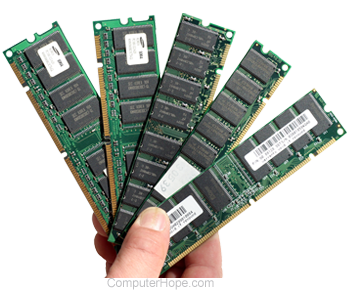
If you hear three short beeps when your computer is turned on, it's usually a memory-related issue. However, this alert can be generated from video card problems as well. The following sections contain suggestions on what to do if you hear three beeps upon startup.
Most of the steps below involve physically removing parts inside a computer. Before doing so, ensure you're aware of ESD (ElectroStatic Discharge) and its potential hazards. If you don't feel comfortable opening the computer or you have a laptop, have the computer repaired.
Reseating computer hardware
Sometimes, when the computer is moved, or over time, hardware components can become loose. As you can imagine, this loss of connectivity can cause problems. Try fixing this issue by opening the computer, remove each memory stick, and placing them back into their respective slots. If that doesn't stop the beeps, try reseating the video card.
Swap memory location
Try swapping the memory location. More specifically, remove all of your memory and replace it one stick at a time, trying different memory slots. This method helps identify defective memory sticks or motherboard slots.
Recently added hardware
If you've attempted to add memory to a computer and have since started getting beeps, temporarily remove the new memory. If the computer works fine after taking out the RAM (Random-Access Memory), your memory is either incompatible or defective. This same methodology can be applied to a recently added video card.
- What type of computer memory to use in a memory upgrade.
- How to remove a computer video card.
- How to install computer hardware.
Reboot the computer
After installing anything inside your computer, try rebooting it two or more times. Some computers require a few restarts before they detect new hardware. If this works, but you have to reboot the computer several times each time you start it computer, you may still have an incompatible memory stick or video card.
Try working components from a separate computer
If you have another computer with a compatible video card or memory, try them in yours. If another computer's hardware works, you know the problem lies with the original hardware. If another computer's (compatible) memory or video card doesn't work in your machine, the motherboard or its slots are defective. You would need to replace the motherboard to fix this problem.